WhatsApp Automation for Customer Service: How It Actually Works
WhatsApp automation for customer service is more than a canned greeting. See what changes once it can reply, remember, and act on its own, for real.
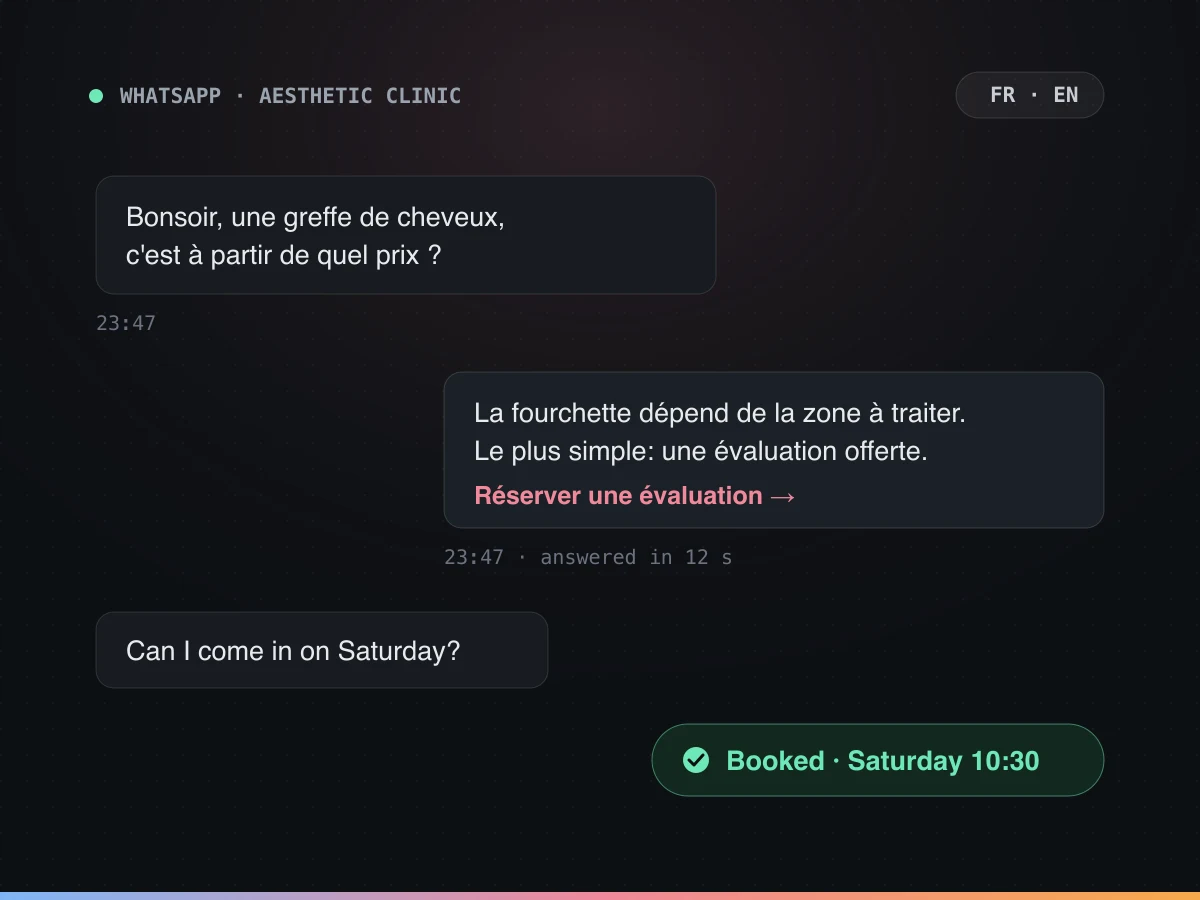
It’s 9:14pm. Three unread WhatsApp messages: one asking if you’re open Sunday, one trying to book, one asking about last week’s refund, again. Most of what gets sold as WhatsApp automation for customer service handles exactly the first one, with a green checkmark and a canned greeting typed once in 2023. The other two are the actual job, and they’re the part that separates a real automation from a very polite away message.
WhatsApp automation for customer service ranges from a free auto-reply in the WhatsApp Business app to an AI agent running on the WhatsApp Business API that reads a whole conversation, checks or updates a real booking, and hands off to a person when it should. The gap between those two is whether it can reply, remember what was already said, and act, or just the first one.
“WhatsApp automation” is three different things wearing one name
Ask three vendors what WhatsApp automation means and you’ll get three answers, because the phrase covers a free app feature, a developer project, and an AI agent, and only one of the three can do anything.
| Free WhatsApp Business app | API + a workflow bot | AI agent (Joe-style) | |
|---|---|---|---|
| Replies to a new message | Yes, one fixed line | Yes, matched by keyword | Yes, understands the actual question |
| Remembers the conversation | No | Rarely, within one session | Yes, across the thread and prior visits |
| Takes a real action (books, checks, updates) | No | Only what’s hardcoded per button | Yes, calls the real calendar, CRM or order system |
| Who can build or edit it | Anyone, in the app | Mostly a developer | Whoever owns the policy, on a flow builder |
| Rough cost | Free | Developer time plus a messaging fee | Per conversation, with setup |
Three rows matter more than the other two: remembers, acts, and who can edit it. A tool that forgets the first message by the third one isn’t holding a conversation, it’s answering a series of unrelated ones that happen to share a phone number. And if changing a policy means filing a ticket with a developer, the automation will quietly go stale the first time your hours change, because nobody wants to open that ticket for one line.
The free WhatsApp Business app: fine for a greeting, not a conversation
The WhatsApp Business app is the one most small businesses already have, and it does exactly three automated things: a greeting message the first time someone writes, an away message outside your hours, and quick replies you trigger yourself by typing a shortcut like “/hours”. Add labels to sort chats into buckets (new lead, paid, needs follow-up) and that’s the entire automated surface.
None of it holds state. Send the away message, and the next message from that same customer gets the exact same away message, even if they just answered the question it asked. There’s no branching (if they say “yes” versus “no,” nothing changes), no way to check whether an order shipped, and no way to confirm a booking without someone opening the app and typing it by hand.
That’s not a criticism of the app. It’s free, it’s built for a single phone, and a greeting plus an away message covers a real slice of what a very small business needs. It stops covering the need the moment a second person has to answer from the same number, or a customer expects the bot to remember what they asked five minutes ago.
The WhatsApp Business API: what changes when real software is plugged in
The WhatsApp Business Platform (what most people still call “the API”) is the version built for software to send and receive messages instead of a person tapping a screen. Getting on it usually means going through a Business Solution Provider, a company like Twilio or 360dialog that Meta approves to host the connection, plus a verified business profile.
Two rules from that platform are worth knowing before you build anything on it. First, Meta’s own documentation explains the customer service window: any message a customer sends opens a 24-hour window in which you can reply with a normal, free-form message. Outside that window, you can only send a pre-approved message template, which is why a business can’t just message you out of nowhere with something new, and why a proper automation has to plan around that 24-hour clock rather than assume it can always speak freely.
Second, multiple people (or one automation and several people) can now work off the same number, which the personal app can’t do. That’s the whole point of moving to the API: several conversations, several agents, one number, one shared history.
Third, the API can speak first, not just reply. An appointment reminder the day before, a shipping update the moment a package leaves the warehouse, a message asking if last week’s visit went well: these use the pre-approved templates from the paragraph above, sent outside the 24-hour window, and they’re a genuinely different use case from customer service. Worth knowing about, and worth keeping separate in your head from the reply-remember-act loop, because a business that only ever gets this right (send a reminder, get a “confirmed”) but never wires up the reply side has automated the easy 20% and left the part customers message you about untouched.
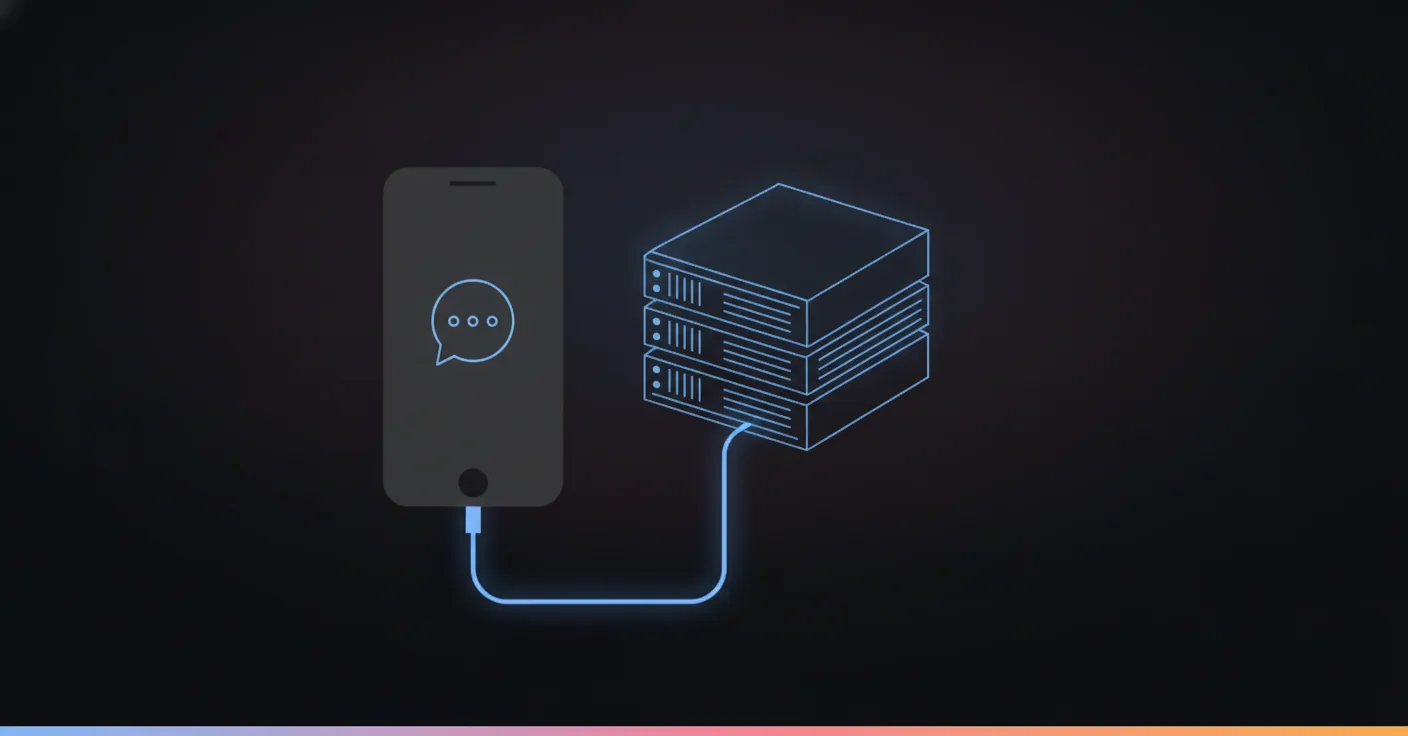
What the API does not do on its own is decide what to say or check anything. That job belongs to whatever workflow or agent sits behind it, the part most “WhatsApp automation” pitches skip past quickly because it’s also the hardest part to get right. For the mechanical step-by-step of what that agent actually does with each message, from the webhook to the tool call, see how AI agents work on WhatsApp. If you’re shopping for that piece specifically, we compared the six platforms actually built for it, with real pricing from each one’s own site.
What actually happens when a customer messages you: reply, remember, act
This is the part worth building well, because it’s the part a customer experiences directly. Three things have to happen, in order, and most tools sold as “WhatsApp automation” only really do the first.
Replying to the first message. The bar here isn’t speed, it’s correctness. A fast wrong answer is worse than a slow right one, because the customer acts on it and finds out later. This is also where the deterministic-versus-clever argument matters most: a flow that only answers from what your business has written down, and says “I don’t know, let me check” when it hasn’t, beats a model that will happily generate something plausible about your return policy whether or not it’s true.
Staying in the same conversation. A customer who asked about hair transplant pricing at 11:47pm and comes back at 8am the next day asking “can I come Saturday instead” shouldn’t have to repeat the first half. The automation needs the earlier context (what they asked, what was quoted, what language they switched to) available to the second reply, not just a fresh slate every time the 24-hour window resets. This is also where a WhatsApp-specific detail matters: customers send photos on this channel more than almost any other, a damaged part, a screenshot of an error, and an automation that can’t read that image is losing the one piece of information the customer thought was obvious.
Taking an actual action. Checking a real calendar for a real open slot, writing the booking back to it, looking up an order status from the order system instead of guessing from the conversation, updating a CRM field so the next person who opens that contact sees what happened. This is also where a flow-based build earns its keep over a free-running one: the branches and the action steps are visible and testable, the same way a chatbot script is built from nodes rather than a paragraph of instructions hoping the model behaves.
WhatsApp automation for customer service, start to finish
Here’s what the three parts look like stitched together, in a made-up but realistic exchange for a gym.
Customer, 9:40pm: “hey do you have a spin class tomorrow morning” Agent: “Yes, 7am and 8:15am. Want me to hold you a spot in one of those?” Customer: “7am works, can I bring a friend though, it’d be her first time” Agent: “Sure, first class is free for a first-timer. I’ve got you both down for 7am tomorrow.”
(Same customer, next morning, 6:52am) Customer: “running late, will they hold my spot” Agent: “Got it. I’ve flagged you as running late and asked the front desk to hold both spots. See you soon.”
Nothing in that second exchange re-explains who’s coming or which class. The agent answered instantly at 9:40pm (reply), carried “my spot” and “both spots” over into a message sent nine hours later without the customer restating either detail (remember), and then updated something a person would otherwise have to walk over and say out loud (act). Strip out any one of the three and the exchange breaks: no memory, and 6:52am becomes “sorry, which class?” No action, and “will they hold my spot” gets a sympathetic non-answer instead of a held spot.
Can it actually book something, or does it just talk about booking?
Ask this question of any vendor before you sign anything, because “our AI can help with bookings” and “our AI books the appointment” are two different products wearing the same sentence.
| What it needs to do | What “just talks” looks like | What taking real action looks like |
|---|---|---|
| Book or reschedule an appointment | “I can check that for you” then nothing | Reads the real calendar, writes the booking, confirms the time back |
| Check an order | A guess based on what the customer said | A lookup against the order system, with the real status |
| Process a refund or cancellation | “I’ve flagged this for our team” | Checks eligibility against the actual policy, approves or routes to a person with a reason |
| Update a customer record | Nothing, the chat just ends | Writes the new detail to the CRM so the next conversation sees it |
| Escalate a sensitive question | Answers anyway | Recognizes the topic and hands off, every time |
The businesses that get burned here usually find out the gap exists the first time a customer shows up for an appointment that was never written to the calendar, just confirmed in a chat bubble. That’s a worse experience than the bot admitting it couldn’t finish the job, because now there’s a real person standing at a real desk.
When it should stop talking and hand off to a person
We once built a flow for a French sport-and-wellness center where members could ask questions straight from a knowledge base. Early on, it answered a medical question that was never its call to make. Nobody wrote it a bad line, it just did what a confident, free-running bot does when it finds something plausible-sounding: it said it anyway. The fix wasn’t a better sentence, it was a hard rule wired into the flow, not the prompt: anything touching health routes to a human, every single time, no exceptions buried in the logic.
That’s the actual argument for escalation, and it’s an opinion worth stating plainly: handing off is not the automation failing. It’s the automation doing its job. The failure is a tool that keeps talking past the point where a person should have taken over, because admitting a limit out loud is somehow worse for a vendor’s demo than quietly getting it wrong. Decide upfront which topics are simply not the automation’s to answer (medical advice, anything past a refund threshold you set, a genuinely angry customer) and build the branch, rather than hoping an instruction holds under pressure.

Setting it up: what has to happen first
None of this arrives already wired to your business. Done properly, setting up WhatsApp automation for customer service runs through five steps, and skipping one is usually where a promising demo turns into a customer complaint three weeks later.
Get onto the WhatsApp Business Platform. A phone number, a verified business profile (Meta checks this, and it takes longer than anyone expects the first time), and a Business Solution Provider to route the messages. Some agent platforms handle this step so you never see it directly. Ask which one you’re getting before you assume it’s included.
Pull your real questions, not the ones you imagine. The ten to twenty things customers ask should decide the flow, not a generic template built for a different business. A pest control demo we built had to qualify urgency, wasps in a bedroom and ants near the garage aren’t the same job, before it could book anything at all. Booking accuracy only improved once urgency became a question the flow asked outright, and that only happened because someone read real messages first instead of guessing at them.
Wire in the actions, not just the answers. This is the step a sales call glosses over and a customer discovers is missing three weeks in. If the flow is going to book something, it needs write access to the actual calendar. If it’s going to check an order, it needs a live connection to the order system, not a paragraph describing one. Ask for a real test before signing anything, not a screenshot of one.
Decide the escalation rules before day one, not after an incident. The categories from the section above, medical questions, refund thresholds, a genuinely angry customer, get named and wired to a person automatically. Waiting for the first bad answer to define this rule means the rule gets written in a postmortem instead of a plan.
Test against real transcripts, then watch the first two weeks. Run your actual message history through the flow before a real customer does. Once it’s live, watch how often it falls back to a human, how many conversations stop without reaching a resolution, and how many customers end up repeating a detail they already gave it. That last one is the tell that the memory part isn’t holding up.
Is this GDPR-safe for European customers?
WhatsApp’s messages are end-to-end encrypted between the customer and Meta’s servers, but that encryption ends the moment a message reaches the business side of the WhatsApp Business Platform. Whoever runs your automation can read the content, because they have to, in order to reply to it, the same way any customer service tool on any channel works. The real question is where the company running your automation stores what your customers wrote, not whether WhatsApp itself is encrypted.
For a European business, that’s not a small print detail. GDPR governs where personal data can sit and who can access it, and the EU AI Act adds its own layer on top for anything making automated decisions about a customer. Hosting the automation, the conversation logs and the vector store behind them inside the EU is the straightforward way to answer both, and for larger accounts, controlling which model reads the conversation at all (bring-your-own-key, so the message content never leaves infrastructure you control) is the next layer up. A vendor that waves this off with “we take security seriously” and nothing more specific is a vendor that hasn’t been asked the question by someone who needed a real answer.
The real numbers behind this
Numbers beat adjectives, so here’s a real one instead of a hypothetical. An aesthetic medicine clinic (hair transplants, plastic surgery and skin treatments, name withheld at its own request) ran its WhatsApp on exactly this kind of agent for eight months, January to August 2026. The full case study has all of it; the headline numbers map onto reply, remember and act almost exactly.
- Reply: all 2,011 conversations answered, 40% of them after hours (813, including 221 on a Sunday), the hours nobody was at a desk to type a response.
- Remember: 908 of those conversations were qualified price inquiries, meaning the agent tracked what procedure was being discussed and what had already been quoted, in French and in English, across messages sent hours or days apart.
- Act: 54% of conversations (1,090) were steered toward the booking diary, and 91 appointments were confirmed inside the chat itself, not “we’ll call you back.”
- Escalate: 28 conversations (1.4%) were flagged as sensitive and handed to a person, with zero medical opinions given by the agent. That’s the handoff rule from the section above, holding under real volume instead of a demo.
That’s one account, not a universal promise, and the honest caveat is that results depend on how well the flow is built for a given business. But it’s a real account, with real logs, not a rounded-up estimate. For context on why the channel matters at all: Meta stated in 2020 that more than 175 million people message a WhatsApp Business account every day, a figure that’s old now and almost certainly a floor rather than a ceiling. Whatever the current number is, it isn’t shrinking, and a channel your customers are already messaging you on is worth answering properly rather than routing around.
The wider market is moving the same direction: 83% of customer service decision makers plan to increase their automation investment over the next year, and organizations report 30% of service cases resolved by AI in 2025, projecting 50% by 2027, according to Salesforce’s own research. Read that as a reason to be honest about which of your twenty real conversations belong in that 30% and which ones still need a person, on WhatsApp exactly as much as anywhere else, rather than a license to automate everything by default.
Where to start
Pull your last twenty WhatsApp conversations, the real ones, not the ones you’d like to imagine. Sort them into three piles: pure information (“are you open Sunday”), something that needed the same detail asked twice, and something that needed an actual action, a booking, a refund, a status check. That split tells you exactly which row of the first table you need. A business whose twenty messages are all pile one needs the free app and nothing more. A business with a real pile three needs something that can act, on WhatsApp and on every other channel its customers use, with the same flow rather than four separate half-built copies.
If you want to see the reply-remember-act version running on a real conversation before deciding anything, try it live with your own questions instead of ours.
If you would rather build the first version yourself, here is how to set up automated GPT conversations with an API key and a no-code tool, and what breaks after week one.
If you’re comparing named tools rather than deciding how deep to go, our ranked list of WhatsApp automation tools covers that side of the decision.
FAQ
What is WhatsApp automation for customer service?
Software that answers, and sometimes acts on, WhatsApp messages without a person typing every reply. It ranges from a free canned greeting in the WhatsApp Business app to an AI agent on the WhatsApp Business API that reads the whole conversation and updates a booking or an order.
Do I need the WhatsApp Business API to automate WhatsApp?
Only if you need more than a greeting. The free app covers a single away message and a few quick replies. Anything that has to remember what a customer already said, check a real system, or run across more than one WhatsApp number needs the API and something built on top of it.
Can WhatsApp automation actually book an appointment or process a refund?
Yes, but only if it's wired to the system that owns that data. An automation that only talks about your calendar or your order database, without a live connection to either, is describing an action, not taking one. Ask any vendor to show you the actual write happening, not a mockup.
Is WhatsApp automation GDPR compliant?
It can be, but the compliance sits with whoever hosts the conversation and the platform behind it, not with WhatsApp's own encryption. Check where the automation vendor stores the message content, whether that's inside the EU, and whether you can get your own data out on request.
Will my customers know they're talking to a bot on WhatsApp?
If it's built well, they'll notice it answers fast and correctly more than they'll notice it isn't a person. The moment they notice is usually when it can't do something a person could, which is why the honest move is to say plainly when a human is needed instead of stalling.
What happens when WhatsApp automation doesn't know the answer?
A well-built one says so and hands off, with the conversation history attached so the customer doesn't repeat themselves. A badly built one guesses. That single difference is most of what separates a support tool from a liability with a chat bubble.