Chatbot script: how to actually write one (nodes, intents, and an AI draft to start from)
A chatbot script is a decision tree with a memory, not a document. Here's how to build one with nodes, intents, and an AI-drafted first draft.

Somebody on your team is staring at a blank doc titled “chatbot script v1,” typing “if the customer says hi, say hi back.” They’re already dreading message four, the one where the customer asks something that isn’t in the doc. That dread is correct. A wall of if/then text is exactly where most chatbot scripts go to die.
The scripts that actually survive contact with real customers aren’t documents. They’re decision trees with a memory: a starting message, a way to recognize what the customer wants, branches for the likely answers, and an exit that isn’t a shrug. This guide builds one that way, with the same building blocks (nodes and intents) that a modern flow builder uses, including the part where AI drafts the first version for you.
A chatbot script defines what a bot says first, how it recognizes what the customer wants (the intent), which branch it takes based on the answer, and what happens when nothing matches. Written well, it’s a small decision tree per topic, not a single long document, and the newer builders will draft that tree for you from one sentence describing your goal.
What a chatbot script actually is (and why the document metaphor breaks)
Ask five people to define “chatbot script” and you’ll get five versions of “the words the bot says.” That’s half the job, and the easy half.
The document metaphor breaks the moment a real customer answers a question you didn’t script for. “Do you have Saturday hours” has maybe six phrasings a person would actually type. A single-path script (greeting, then one question, then one answer) handles exactly one of them and goes blank on the rest.
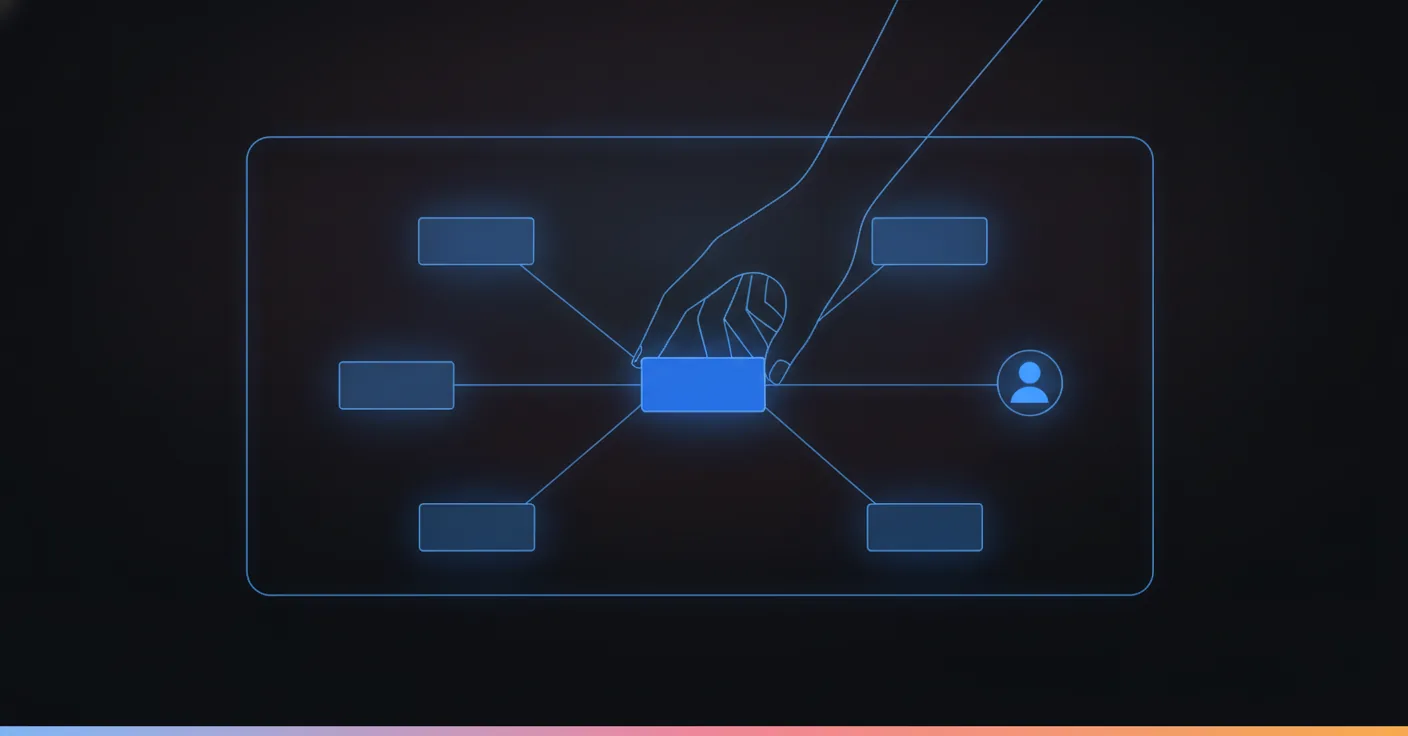
What actually works is a decision tree. Picture it less like a Word doc and more like a flowchart: a start node, a branch node that checks what the customer said, two or three paths depending on the answer, and an end node for each path. Some paths lead to an answer. Some lead to a form. Some lead to a human, and routing there on purpose is the whole point of building it this way (more on that later).
One agency guide calls this the “chat tree,” and it’s the right picture even for a text-only bot with no visual builder in sight. Once you’re drawing branches instead of writing paragraphs, two things change. You stop writing sentences that try to cover every case, and you start asking a more useful question per branch: what does the customer actually want here?
The industry has a name for that exercise, borrowed from UX: conversation design. Deciding the shape of the exchange, the branches, the exits, before a single word gets polished. Most chatbot script guides skip straight to the words. That’s backwards, and it’s why so many scripts read fine on the page and fall apart on message four.
Before you write anything, get the real questions straight
The instinct is to open a blank doc and start typing greetings. Resist it for twenty minutes.
Pull up your last two weeks of actual customer messages, wherever they live: your inbox, your DMs, your call log if you record it. Not the questions you assume people ask. The ones they actually typed at 9pm on a Tuesday.
We rebuilt a pest control demo flow around exactly this gap. The agent had to qualify urgency before it could book anything. “Wasps in the kids’ bedroom” and “ants near the garage” are not the same job, and treating them the same wastes the technician’s morning and the customer’s patience. Once urgency became a variable the bot actually asked about instead of assumed, booking accuracy went up immediately. The lesson wasn’t “add more intents.” It was “qualify before you act,” and that only happens if you know the real question shape before you write anything.
So before a single node exists, you want three things on paper:
- The goal of this specific flow, in one sentence (“get a repair booked with urgency and address captured”)
- The 5 to 10 phrasings a real customer would use to trigger it
- What “done” looks like: an answer given, a booking made, a human notified
Skip this step and you’ll spend week three rewriting branches you should have gotten right in week one.
The three building blocks: chatbot intents, variables, and nodes
Every chatbot script, no matter which tool builds it, is made of the same three parts. Learn these and the rest of this guide is just arrangement.
Intents are what the customer wants, independent of how they phrase it. “Can I freeze my membership,” “I need to pause my account for a month,” and “skip billing while I’m traveling” are three sentences and one intent. A good script recognizes the intent, not the exact words, which is the entire reason chatbot intents exist as a concept instead of everyone writing giant keyword-matching lists.
Variables are the pieces of information the conversation collects and reuses: a name, an order number, a preferred appointment time, the urgency level from the pest control example above. A script that asks for the same detail twice because it didn’t save it the first time reads as broken to a customer, even when every individual line is correct.
Nodes are the steps themselves. A message node says something. A question node asks something and waits. A branch (or condition) node checks an answer and routes accordingly. An action node does something outside the chat, like checking a calendar or creating a ticket. A handoff node hands the conversation to a person.
| Node type | Job | Example |
|---|---|---|
| Message | Say something, no reply expected | “We’re open Monday to Saturday, 8am to 7pm.” |
| Question | Ask something, wait for an answer | “What day works best for your visit?” |
| Branch / condition | Route based on the answer or intent | If urgency = high, skip to booking; else, offer info first |
| Action | Do something outside the chat | Check calendar availability, look up an order |
| Handoff | Route to a human | “I’m connecting you with Sam from our team now.” |
Five node types cover most of what a chatbot script needs to do. Everything else is how you wire them together.
Do you need to code any of this?
Not anymore, which is a bigger change than most guides written in the last three years give credit for.
The old way to build a chatbot decision tree was genuinely a flowchart tool (Lucidchart, Draw.io, sometimes just a very committed Google Sheet), then a developer translated the boxes into if/else statements in whatever platform you’d picked. Two people, two tools, and a translation step where meaning quietly leaked out.
A node-based builder collapses that gap. The boxes on the canvas are the logic, not a sketch of it. You drag a question node, wire it to a branch node, connect the branches to their own end nodes, and that arrangement is what runs, not a document someone still has to implement. The people who know the actual policy (a manager, a front-desk lead, an ops person) can build and edit the flow themselves, because there’s no translation step left to get wrong.
That matters more than it sounds. The sport and wellness center escalation fix from earlier didn’t need an engineer. It needed someone who understood the policy to redraw one branch so every health question routed to a person. That’s a five-minute edit on a canvas and a deploy ticket in a codebase.
There’s still a place for code: custom actions that reach into a booking system, a payment processor, or an internal database need something built once, properly, by someone who can handle an API. The difference is scope. You’re writing one action node, not rebuilding the entire conversation in a general-purpose language every time the policy changes.
Building the conversation flow, step by step
Let’s build one, start to finish, for a scenario every gym, studio or clinic will recognize: a member wants to freeze their account, and it’s 9pm, and nobody’s at the desk.
1. Start node. The greeting. Keep it short: “Hi, this is [business]. What can I help with tonight?” Not “Welcome to our automated assistant, how may I direct your inquiry,” which nobody has ever said out loud to a friend.
2. Intent detection. The reply (“I want to freeze my membership,” “can I pause for a bit,” “skip next month’s charge”) all map to one intent: freeze_membership. This is the step that decides which flow runs next, so it has to tolerate the messy, real ways people actually type.
3. Question nodes, one at a time. Ask for the start date. Ask for the reason only if your policy needs it (medical, travel, injury) because unnecessary questions are where members drop off mid-conversation. Each answer becomes a variable: freeze_start, freeze_reason.
4. Branch node. Does your policy allow a freeze longer than 30 days without approval? If yes, branch to instant confirmation. If no, branch to a handoff.
5. Action node. For the instant path, this is where the bot actually updates the account or creates the request, not just says it will.
6. End node. Confirm what happened, in plain language: “Done, your membership is frozen from October 3rd through November 3rd. You’ll get a confirmation by email.” Not “your request has been processed.”
7. Fallback, wired in from node one, not bolted on later. If the reply at step 2 doesn’t match freeze_membership or anything else you’ve built, the bot doesn’t guess. It says so honestly: “I’m not sure I caught that, could you say it differently, or I can get you a person.”
Notice what didn’t happen: at no point did the bot invent a policy it doesn’t have, or promise a refund nobody approved. Good writing didn’t do that. The branch and fallback nodes did, quietly, which is the whole argument for building scripts this way instead of as free-running prose.
A second flow, much shorter, to show the same blocks reused. Not every intent needs seven steps. An FAQ deflection for “what are your hours” is a start node, one intent match, one message node with the answer, and an optional follow-up question (“want me to text you a reminder before we close tonight?”). No branch node at all, because there’s nothing to branch on. The building blocks don’t change size to match the job; you just use fewer of them.
Let AI write the first draft (this is where most guides stop short)
Every chatbot script guide on page one of Google tells you to write your own branches from scratch. That’s the right advice in 2019. It’s slower than it needs to be now.
The newer generation of customer support automation tools, ours included, let you describe the goal in plain language. Something like “build a flow that handles membership freeze requests, checks eligibility, and books an appointment if the member wants to talk to someone instead.” What comes back is a draft: nodes laid out, intents named, the obvious branches already there. You’re not starting from a blank canvas, you’re editing a first attempt that gets most of the structure right.
The part it can’t guess is where you still have to show up. The AI won’t know your actual freeze policy, whether your desk closes at 6pm or 9pm, or that the reason field is legally required in your state and optional everywhere else. It also won’t know which topics are too sensitive to answer without a human, which is the next section, and not a step you get to skip because a draft exists.
Think of the AI draft the way you’d think of a first-round hire: fast, useful, not yet trusted with the decisions that matter until you’ve checked its work against your actual policies. Ship the draft, test it against the real questions from your inbox, then lock it.

This is also, in practice, how to train a chatbot once it’s live. Not by feeding it a giant document upfront and hoping. By watching where real conversations hit the fallback node, adding the intent or branch that was missing, and redeploying. A script that gets three real edits a week for its first month will outperform one that got two hours of upfront polish and was never touched again.
Writing the actual lines: tone, brevity, and sounding like a person
Structure gets a script to function. The actual sentences decide whether anyone enjoys talking to it, and this is the part most flow-builder guides skip because it’s not really about the tool.
Match the tone to the channel, not to a brand guideline written for your homepage. A WhatsApp exchange reads as friendly and short. A voice script has to sound natural read aloud, no bullet points, numbers spelled out. What’s warm on Instagram can sound stiff on a phone call, and what’s clear on a call can look like a wall of text in a chat window.
Keep it short on purpose. One question per message, not three stacked in a paragraph, because a customer skimming on their phone answers the first thing they see and ignores the rest. “What day works for you?” beats “Please let us know your preferred day and time for the appointment, along with your availability” every time, on every channel.
Vary the phrasing across similar messages. A bot that says “Got it!” after every single answer starts to sound like it’s not actually listening, which, to be fair, it might not be. Two or three variants per common acknowledgment is enough to avoid that.
And read it out loud before you ship it. If a line would sound strange coming from an actual employee at your front desk, it’s going to sound stranger coming from a bot with no face attached to it.
Use personalization tokens where the variable already exists, not everywhere you can. “Hey Mara, want to keep your Tuesday 6pm slot?” reads as attentive because the bot clearly remembered something specific. Stuffing a first name into a fallback message that has nothing else personal about it just reads as a mail-merge, and customers notice the difference within a sentence.
Where a knowledge base fits into the script
At some point you’ll hit a wall: your customers ask forty variations of “what’s included” or “do you offer X,” and hand-building forty branches is a week of work nobody has.
This is where a knowledge base earns its place inside the flow, not instead of it. Instead of scripting every possible FAQ as its own branch, one node points at your knowledge base (your help center articles, your pricing page, your policy documents) and answers from whatever’s actually written there. The script still decides when that node runs and what happens next. The knowledge base only supplies the content of the answer.
The distinction matters because it’s the difference between a bot that can drift and one that can’t. A model with no guardrails, asked “do you offer X,” might generate something plausible whether or not it’s true. A knowledge-base-backed node answers from your actual documents or says it doesn’t know, and that “doesn’t know” branch routes exactly where you decided it should (a fallback message, a human, a different flow). You get the coverage of hundreds of FAQ variations without writing hundreds of branches, and you keep the one rule that matters: nothing gets said that isn’t grounded in something you actually wrote down.
Keep the knowledge base for genuinely open questions: policies, product details, things that change when you update a document. Keep hand-built branches for anything transactional, bookings, refunds, account changes, where the bot needs to actually do something, not just answer.
One flow, every channel
The same membership-freeze flow from earlier has to work whether the member types it on WhatsApp at 9pm, says it out loud on a phone call, or messages it through Instagram DMs. The branches don’t change. The words do.
A phone call can’t show a button, so “tap Confirm below” has to become “just say yes and I’ll lock that in.” A WhatsApp message can carry a photo (a damaged item, a membership card) that the bot should actually read, where a voice call obviously can’t; see how that plays out on WhatsApp specifically for the full reply-remember-act breakdown. An Instagram DM tends to run shorter and more casual than an email, even when the underlying question is identical.
This is what “omnichannel” was supposed to mean before it became a marketing word for “chat widget plus inbox.” The efficient way to handle it is one flow with channel-aware wording, not a separate script per channel. The intents, the branches, the variables, and the policy logic (what’s allowed, what escalates) stay identical. Only the phrasing of individual nodes adapts to where the conversation is actually happening. Build it any other way and you’re maintaining four or five scripts that are supposed to agree with each other and quietly won’t, six months in. The businesses that get the most out of this are the ones already spread across several channels at once, not the ones running a single web widget.
Chatbot script examples you can adapt (not copy-paste)
Templates are useful for structure and useless the moment you paste them in verbatim, because your policy, tone and channel are not the ones the template author had in mind. Use these for the shape, then write your own words.
| Scenario | Intent | What the flow needs |
|---|---|---|
| Welcome message | greeting | State who’s answering, invite the real question, skip the disclaimer paragraph |
| Lead qualifier | new_inquiry | 2 to 3 questions max before offering a next step, not a fifth-degree interrogation |
| FAQ deflection | faq_hours / faq_pricing / faq_location | Answer directly first, offer a follow-up second, never bury the answer under a menu |
| Booking or demo request | book_appointment | Collect date, time and contact info as separate variables, confirm before closing |
| Refund or cancellation | refund_request | Branch on eligibility, never promise the refund the bot can’t actually issue |
| Order status | order_lookup | Action node checks the real order system, doesn’t guess from the conversation alone |
| Out-of-hours | after_hours | Say when you’re open next, offer to notify a human for anything urgent |
| Human handoff | escalate | Summarize what’s happened so far, so the customer never repeats themselves |
Eight intents cover most small businesses’ actual volume. Build those well before you chase the long tail.
Two of these deserve a full example, because getting them wrong is where a script’s reputation gets made.
Human handoff, written out:
Customer: “This is the third time I’ve been charged for the wrong plan.” Bot: “I’m sorry, that’s frustrating, and it’s not something I can fix directly. I’m connecting you with Priya from billing now. She’ll see everything you’ve told me, so you won’t need to repeat it.”
Notice what the bot didn’t do: apologize with a promise it can’t keep, guess at a refund amount, or ask the customer to explain the problem again to a human who has no context. The handoff carries the conversation forward instead of resetting it.
NPS or CSAT micro-survey, written out:
Bot: “Quick one before you go: out of 5, how easy was that to sort out?” Customer: “4” Bot: “Good to know, thanks. If anything felt off, one line here helps us fix it.”
One question, not three. The follow-up is optional and skippable, because a mandatory second question after someone already gave you a number is how survey completion rates die.
Escalation and human handoff: the rule that saves you from a bad headline
We built a flow for a French sport and wellness center where members could ask the bot questions straight from the knowledge base. The first version answered a medical question it had no business answering.
Nobody wrote it a bad line. It just did what a free-running bot does when it’s confident and wrong: it found something plausible-sounding and said it. We rebuilt the flow so anything touching health routes to a human, every time, no exceptions written into the branch logic. Not “usually.” Every time.
That’s the actual argument for handoff nodes: they’re not a fallback for when the bot fails, they’re a deliberate boundary you draw before it can fail in public. Decide upfront which topics are simply not the bot’s to answer (medical advice, legal advice, anything involving a refund over a threshold you set) and hard-wire the branch, rather than trusting a prompt instruction to hold under pressure.

Deterministic beats clever
Here’s a position we’ll defend across a table to any client: a chatbot script that follows a defined structure and only calls an AI model inside guardrails will beat a “smart” free-running chatbot on every metric a business owner actually cares about. Accuracy. Refunds that don’t get invented. Escalations that actually happen when they should.
Clever is a demo trick. A model that can write a beautiful, on-brand paragraph about your return policy is not the same as a model that knows your return policy, and customers can’t tell which one they’re talking to until it’s already wrong. If a bot can invent an answer, it isn’t ready to talk to your customers, no matter how natural the sentence sounds. If you are wiring GPT to your channels yourself, we walked through how to set up automated GPT conversations and where that route stops being safe.
Gartner expects agentic AI to autonomously resolve 80% of common customer service issues by 2029. Getting there without inventing an answer along the way is the actual engineering problem. The model’s fluency was never the hard part, and this is exactly the kind of guide, built around a defined flow instead of a free-running model, that gets a business there without the invented refund making the local news.
AI still belongs in the script. It belongs drafting the flow, handling the messy phrasing of an intent, writing a follow-up question in the moment. The decisions that actually matter (what gets promised, what gets escalated, what data goes where) stay on rails the bot can’t improvise its way around. See this same argument worked through channel by channel, tool call by tool call, in how AI agents work on WhatsApp.
Judge a chatbot script the way you’d judge a new hire’s first week, not the way you’d judge a magic trick. A new employee who confidently makes up a return policy on day one gets pulled aside immediately. A chatbot that does the same thing just keeps running, unless the script was built so it structurally can’t.
The mistakes that quietly wreck a chatbot script
Too many options in one message. Five buttons in a welcome message is a menu, not a conversation, and most people bail on menus longer than three items.
No real fallback. “Sorry, I didn’t understand” with nowhere to go next is worse than a phone that just rings out, because at least the ringing phone doesn’t pretend to be helping.
Writing once and never testing against real transcripts. The gap between what you imagined customers would type and what they actually type is always bigger than you think, usually within the first ten real conversations.
Treating every channel the same. A voice call can’t “click the link below.” A WhatsApp message can carry an image the bot should actually read, not ignore. Write the branch logic once, but write the wording per channel.
One universal script for every location. A franchise head office wants every location answering the same way. Individual locations want zero extra setup work. Both are solvable at once with one flow and per-location variables (hours, address, manager name) instead of forty near-identical copies that all drift out of sync within a year.
Confirming without actually doing anything. “Your appointment is booked!” is a lie if the action node behind it never fired. Customers find out the hard way, usually by showing up to a slot that doesn’t exist, and that’s a worse experience than the bot admitting it couldn’t complete the action.
Optimizing the wording before the routing works. Polishing sentences in a branch that fires for 2% of conversations, while the branch that fires for 30% still dead-ends at a generic fallback, is effort spent on the wrong 2%. Fix volume first.
Test it, then keep every location speaking the same way
A script that works in the demo and fails on message six in production is more common than anyone likes to admit. Run your ten real questions through it before anyone sees it live, not after.
Then watch the transcripts for the first week. The branches that never fire are candidates to simplify. The messages that trigger the fallback repeatedly are the intents you missed at the research stage, which is exactly why that stage matters more than the writing itself.
Three numbers are worth watching every week, not just the first one: fallback rate, handoff rate, and conversations that just stop without reaching an end node. A rising fallback rate means new phrasing or a new intent showed up in the real world that your script didn’t plan for. A rising handoff rate isn’t automatically bad, it might mean your escalation rules are working exactly as designed. A conversation that stops mid-flow with no end node reached is the one worth reading in full, because that’s a customer who gave up.
If you’re running this across more than one location, resist rebuilding the flow per site. One flow, with variables for what actually differs (hours, address, staff names, local policy exceptions), keeps every location answering consistently without forty separate documents nobody remembers to update after the first one.
Write your goal down in one sentence. Pull the last twenty real customer messages you have sitting in an inbox somewhere. Turn each one into an intent, or fold it into one you already have. That list is your first script, before you’ve written a single line of dialogue.
Build the highest-volume flow first, not the most interesting one. A working freeze-membership flow that handles most of that intent correctly beats a beautifully branched refund flow nobody triggers this month. Ship the small version, watch what actually happens, and let the transcripts tell you what to build next.
If you’d rather see the node-and-intent version of all this before building it from scratch, try it on a live conversation and watch the draft happen in front of you.
FAQ
What is a chatbot script?
The set of decisions a bot makes during a conversation: what it says first, what it asks, which branch it takes depending on the answer, and what it does when it doesn't understand. Not the words themselves. The words are the easy 10%.
How do I write a chatbot script for customer service?
Start from the ten questions your front desk actually answers in a normal week, turn each into an intent, then build one flow per intent with a clear exit: an answer, a booking, or a human. Write the branches before you write a single line of dialogue.
What are intents in a chatbot script?
An intent is what the customer is trying to do, not the exact words they used. 'Can I freeze my membership,' 'I need to pause my account,' and 'skip next month' are three sentences pointing at one intent. The bot has to recognize the intent, not memorize the phrasing.
Can AI write my chatbot script for me?
It can draft the structure, the branches and the first-pass wording once you tell it the goal in plain language, and it will get you further than a blank page. It still needs a human to check the branches against real questions and decide what the bot is never allowed to say on its own.
How long should a chatbot script be?
As long as it needs to be to cover the ten to twenty things customers actually ask, and no longer. A script padded with intents nobody triggers just adds places for the bot to get confused. Ship the flows that map to real volume, add the rest later.
What's the difference between a chatbot script and a conversation flow?
In practice, none. 'Script' is the word most people search for because it's familiar from customer service training. 'Flow' is the more accurate word once the script has branches, variables and conditions instead of a single straight line, which is what any script worth using ends up being.