How Do AI Agents Work on WhatsApp? A Full Guide
How do AI agents work on WhatsApp? A webhook, a language model, a 24-hour rule nobody warns you about, and one choice that decides if it's useful.
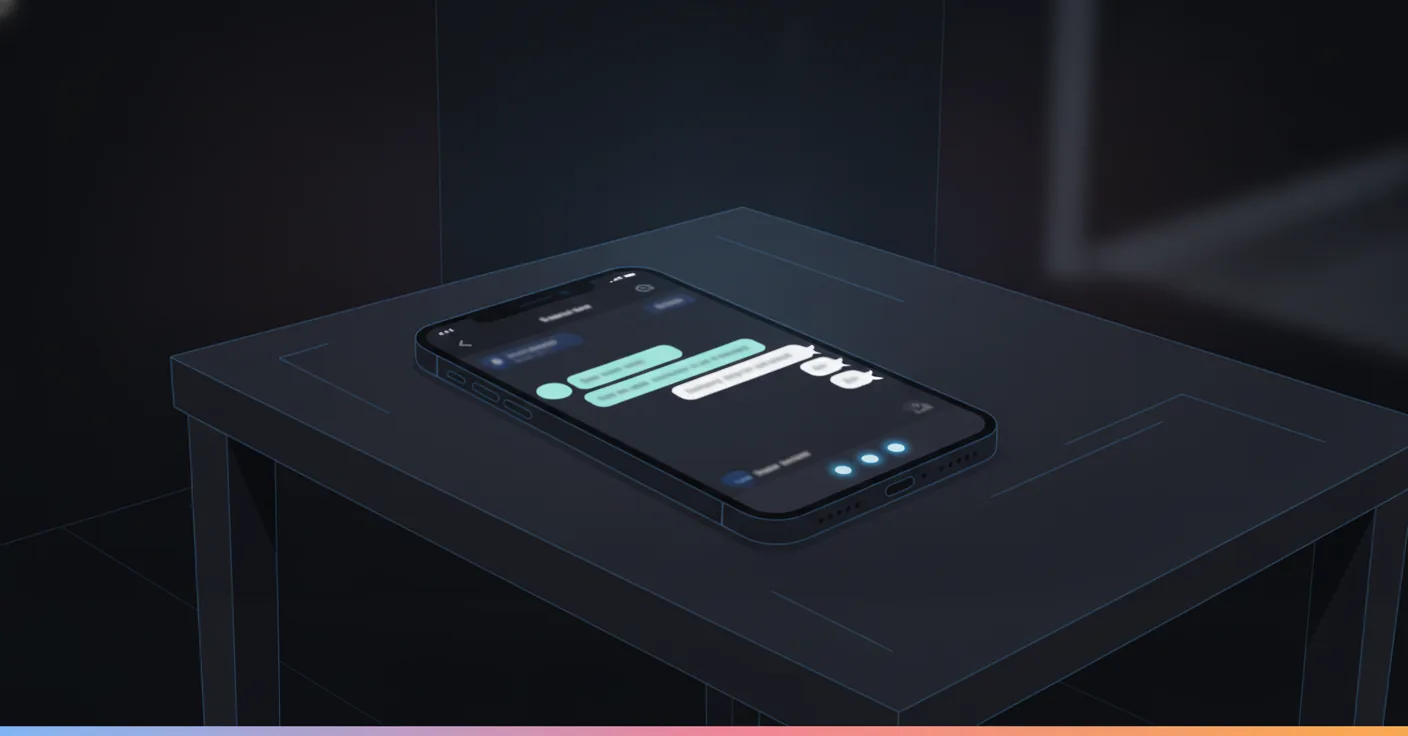
It’s 11:12pm. Someone messages a pest control company: “there’s a wasp nest right by my kid’s bedroom window, can someone come tomorrow.” Nobody is at the desk. Four seconds later, something replies, asks whether the nest looks active or the kids can just avoid that window overnight, and books the earliest slot the moment the answer comes back. That something is what people now call an AI agent on WhatsApp. The pitch-deck version stops at “it understands you.” How AI agents actually work on WhatsApp comes down to a webhook, a language model, a 24-hour rule almost nobody outside this has heard of, and one architecture decision that decides whether the whole thing behaves like a capable new hire or a very confident intern who has never once been told no.
An AI agent on WhatsApp connects through a webhook, reads the message with a language model, checks a real source (a knowledge base, a calendar, an order system) instead of guessing, decides whether to answer, ask, act, or hand off, then replies through the same API, inside WhatsApp’s 24-hour messaging window.
What people mean by “AI agent on WhatsApp” (there are two different answers)
Type this exact question into Google and the top result is WhatsApp’s own help page, about a feature called Meta Business Agent. It’s real: businesses running the WhatsApp Business app can flip a switch under Tools, and Meta’s own AI starts answering on their behalf, trained loosely on what the business has told it. It’s a native toggle, not something anyone builds, and as of this writing it’s early, limited to what you type into a setup form, and not something you can wire to your actual booking system.
That is one honest answer to “can an AI agent work on WhatsApp.” It’s not the one most people asking this question actually want.
The second answer is the one this guide is about: a custom AI agent built by a business, or a vendor a business hires, running on the WhatsApp Business API (Meta also calls it the Cloud API). This is the version that reads a whole conversation, checks a real calendar, writes an order status back to a CRM, and hands off to a person when it should. It’s what powers the “book my appointment” and “where’s my order” conversations that actually replace a job function, and it’s what the rest of this guide means every time it says “AI agent on WhatsApp” from here on.
The practical difference: Meta’s own agent lives inside the free app and answers from what you typed into a form. A custom agent lives behind the API and can be wired to anything your business already runs. One is a feature. The other is closer to a new hire.
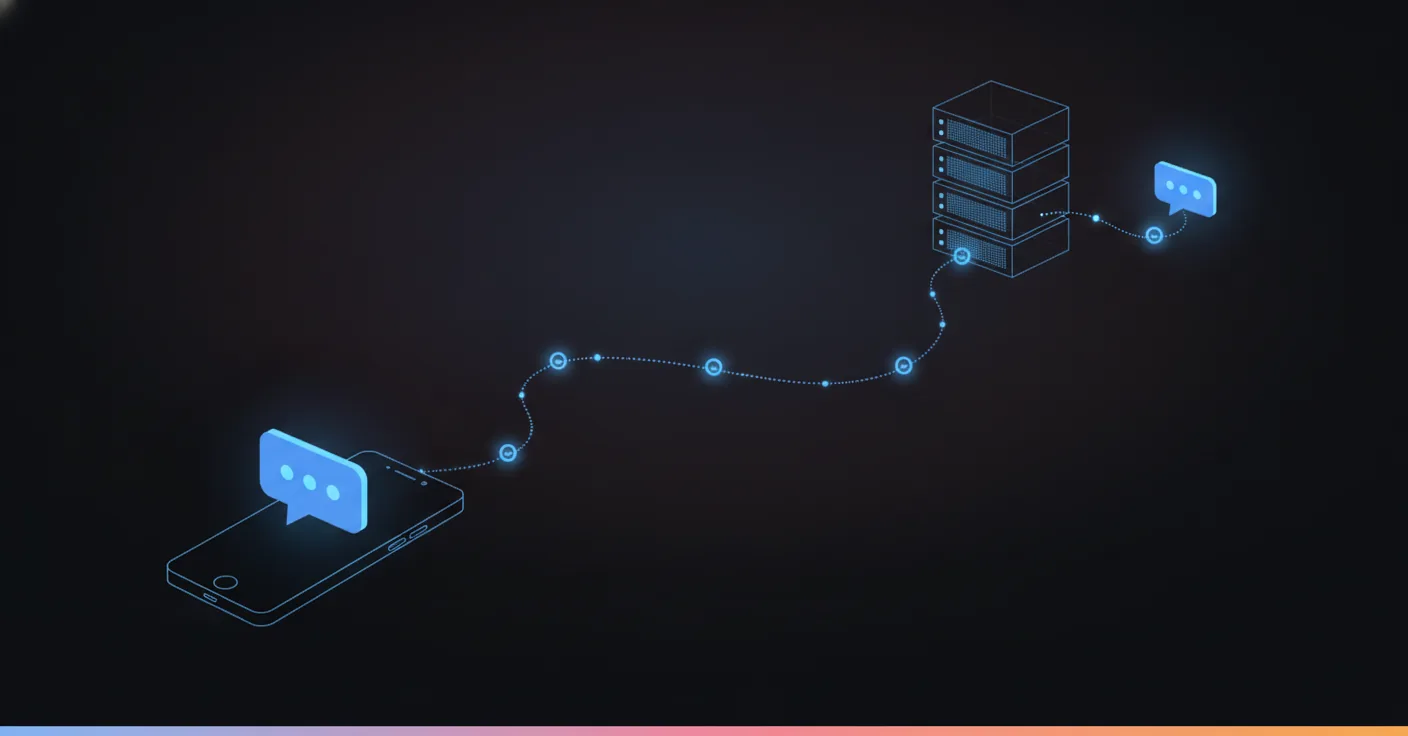
How do AI agents work on WhatsApp? The five-step loop from message to reply
Back to the wasp nest. Nothing about that four-second reply was one step. It was five, and they happen in this order every single time, regardless of which vendor built the agent.
One: the message arrives through a webhook. The moment that customer hits send, WhatsApp’s servers post the message straight to the business’s own server as a small JSON payload, the sender’s number, the text, a timestamp, no polling and no delay. This is the part that makes real-time replies possible at all; the older generation of tools that checked for new messages every few seconds felt slow because they were, structurally, always a few seconds behind.
Two: the words get turned into meaning. A language model reads that message, plus however much of the recent conversation the agent keeps around, and pulls out what actually matters: this is an urgent pest problem, near a child’s bedroom, the customer wants someone tomorrow. This step is why “AI agent” beats a keyword bot that only fires on the word “wasp” and falls apart on “there’s like a whole nest of them buzzing by the kids’ room.”
Three: the agent checks what it’s actually allowed to check. This is the step most demos skip past, because it’s the one that costs real engineering. Instead of guessing an answer, the agent queries something real: a knowledge base for the business’s own pest protocols (does an active nest near a bedroom count as urgent, per this business’s own rules), or a calendar system for tomorrow’s open slots. Nothing gets said here that isn’t backed by an actual lookup.
Four: it decides what to do with what it found. Answer directly, ask one more clarifying question (“is the nest actively moving, or just sitting there”), call a tool (check the calendar, then hold a slot), or recognize this isn’t something it should handle alone and hand off to a person. For the wasp message, the decision was: ask one clarifying question, then once “yes it’s active” comes back, check the calendar and hold the earliest slot.
Five: the reply goes back out, through the same API. Worded for a chat window, not a form letter, and if a booking was involved, the calendar write happens before the confirmation is sent, never after. Telling a customer “you’re booked for 9am” and then failing to actually reserve that slot is worse than admitting a short delay, because now a real person is standing at a real door at 9am for an appointment that doesn’t exist.
Strip any one of those five steps out and the whole thing breaks in a specific, predictable way. No webhook, and the reply comes minutes late instead of seconds. No step three, and the agent invents an answer about “usually wasps aren’t dangerous” instead of checking this business’s actual urgency policy. No step five’s real write, and the appointment is a sentence, not a booking.
The 24-hour window: the rule that decides what an agent is even allowed to say
Here’s the part almost nobody researching “how do AI agents work on WhatsApp” finds until they’ve already started building one. WhatsApp doesn’t let a business message a customer whenever it wants. Meta’s own documentation calls it the customer service window: the moment a customer sends a message, a 24-hour clock starts, and inside that window the business can reply with anything, free-form text, images, whatever the conversation needs. The instant that window closes, the business can only send a pre-approved message template, a fixed format Meta has reviewed in advance, not a fresh sentence composed on the spot.
For the pest control example, this barely mattered: the customer messaged, the agent replied inside the window, booked the slot, done. It matters the moment an agent needs to speak first. Say the plumber’s agent wants to check in the day after a repair (“how did that fix hold up?”). If more than 24 hours has passed since the customer’s last message, that has to go out as a template, submitted to Meta ahead of time and approved, not as a sentence the model wrote on the fly.
This is where a lot of DIY builds quietly fail. A model that can compose a perfectly natural check-in message is useless if nobody registered that message as a template first, because WhatsApp will simply refuse to send it. A properly built agent plans around this from day one: anything the agent might need to say outside a live conversation, an appointment reminder, a shipping update, a follow-up, gets set up as an approved template in advance, and the free-form conversational side handles everything else. Two different jobs, wearing the same interface, and treating them as one is the single most common reason a working demo turns into a broken production build.
Templates themselves come in a few flavors Meta reviews differently: utility (a booking confirmation, a delivery update, tied to something the customer already asked for or already has running), marketing (a promotion, sent to anyone who’s opted in), and authentication (a one-time code). An agent sending an appointment reminder needs a utility template, not a marketing one, and mixing the two up is a fast way to get a template rejected in review or a number flagged for sending promotions where a customer only expected a service update.
Two things get called “AI agent” on WhatsApp, and only one should touch a real customer
Not every AI agent works the same way underneath, and the difference matters more than which brand’s name is on the chat window.
One kind is a free-running agent: give a language model the conversation and a set of tools, and let it decide, turn by turn, what to say and which tool to call. It sounds impressive in a demo because it can handle almost any phrasing. The problem shows up the first time it finds something plausible-sounding to say and says it, whether or not it’s actually true.
We saw this happen with a French sport-and-wellness center that wanted members to ask questions from a knowledge base over WhatsApp. Early on, a member asked something that edged into medical territory, and the agent answered it, confidently and wrong, because that’s what a free-running model does when it finds a plausible-sounding answer: it says it anyway. Nobody had written it a bad line. The fix wasn’t a better sentence in the prompt. It was a hard rule wired into the flow itself, outside the model’s control: anything touching health routes straight to a human, every time, no exceptions the model could reason its way around under pressure.
The other kind is a deterministic agent. A defined flow decides what topics exist, what the agent is allowed to promise, and exactly which situations hand off to a person. The language model works inside those rails, handling phrasing and follow-up questions, but never the decision of whether to escalate. It’s less flashy in a sales demo. It’s also the version that doesn’t invent a medical opinion at 9pm on a Tuesday.
The numbers back this up better than the argument alone does. One aesthetic medicine clinic ran a deterministic agent on WhatsApp for eight months, over 2,000 conversations. Twenty-eight of them, 1.4%, got flagged as sensitive and handed straight to a person, with zero medical opinions given by the agent itself. The escalation rule held under real volume, not just in a rehearsed demo, which is the entire point of building it this way.
This is the opinion worth stating plainly: judge an AI agent on WhatsApp the way you’d judge a new employee’s first week, not a magic trick. A new hire who confidently invents a return policy on day one gets pulled aside immediately. An AI agent that does the same thing just keeps running, unless it was built so it structurally can’t.
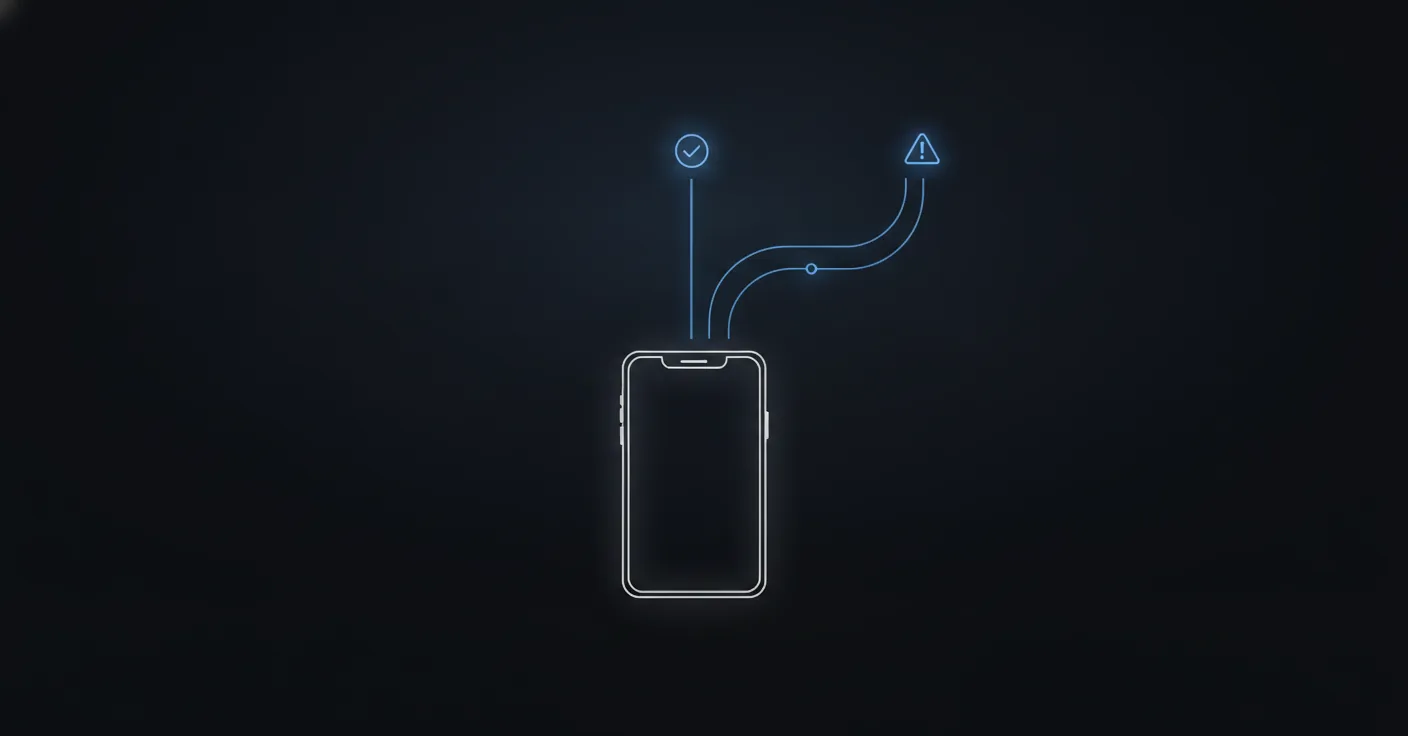
What’s actually running behind the chat bubble
Strip away the branding and every AI agent on WhatsApp, ours included, is built from the same handful of pieces working together. Here’s the honest architecture, not the marketing diagram.
| Layer | What it does |
|---|---|
| Channel connector | The webhook and API calls that get messages in and replies back out through WhatsApp, handled via a Business Solution Provider (Twilio, 360dialog, and others Meta approves) |
| Language layer | The LLM that reads a message for meaning and drafts the reply’s wording, not the decision of what’s allowed to be said |
| Orchestration / flow | The defined structure deciding which topics exist, what triggers a tool call, and what forces a handoff, the part that keeps the agent deterministic instead of free-running |
| Knowledge base / retrieval | Where the agent looks up facts it doesn’t already have, the business’s own policies, prices, hours, or FAQs, instead of generating an answer from nothing |
| Tool layer | The live connections to a calendar, a CRM, an order system, whatever the agent needs to actually check or write, not just describe |
| Memory / state | What the agent remembers about this specific conversation and this specific customer across messages sent hours or days apart |
| Guardrails | The hard rules, medical topics, refund thresholds, an angry customer, that route to a person no matter what the model would otherwise generate |
Every one of those layers is doing a different job, and a vendor that can’t tell you which layer handles which decision usually hasn’t built all seven. The most common shortcut is skipping the tool layer and the memory layer and calling the result an “AI agent” anyway, because a demo conversation rarely runs long enough to expose either gap.
What a “tool call” actually looks like
When people say an agent “checks the calendar” or “books an appointment,” this is the actual mechanism, not a black box. The language model never touches the calendar directly. When it decides an action is needed, it outputs a small, structured instruction, something close to:
check_availability(date: "2026-09-22", service: "pest inspection", urgency: "same-day")
That instruction goes to ordinary code, not the model, which calls the real calendar’s API, gets back a real list of open slots, and hands that list back to the model to turn into a sentence a customer can read. The model asks for information and receives an answer. It never reaches into the appointment book itself, the same way a new employee would page someone in scheduling rather than editing the calendar from memory.
This is also exactly where a free-running agent and a deterministic one diverge in practice. A free-running agent decides for itself, turn by turn, whether and when to make that call, with room to skip it, call the wrong one, or describe an action instead of taking it, especially on phrasing it wasn’t tested against. A deterministic flow decides in advance which situations require which tool call, and the model’s only job is filling in the right details. The wasp nest booking used exactly this: the flow already knew “confirmed urgent pest issue” means “check tomorrow’s slots,” and the model’s job was pulling “tomorrow” and “pest issue” out of a sentence that never used either word.
Rule-based bot vs AI chatbot vs AI agent, side by side
These three get used interchangeably in sales copy, and they’re not the same product.
| Rule-based bot | AI chatbot | AI agent | |
|---|---|---|---|
| Understands phrasing it wasn’t scripted for | No, matches keywords or fixed buttons | Yes, via an LLM | Yes |
| Remembers earlier in the conversation | Rarely | Sometimes, within one session | Yes, across the thread and prior visits |
| Checks a real system before answering | No | Rarely | Yes, that’s the tool layer above |
| Can take an action (book, update, cancel) | Only if hardcoded per button | Usually not | Yes, through the tool layer |
| Fails by | Getting stuck outside its script | Answering confidently and wrong | Escalating, if it’s built with guardrails |
The last row is the one worth sitting with. A rule-based bot fails visibly, the customer sees it get stuck and knows to try something else. An AI chatbot without guardrails fails invisibly, it answers fluently and the customer has no way to tell it’s wrong until later. An AI agent built with the guardrails from the section above is the only one of the three designed to fail safely, by admitting it and handing off, rather than by being confidently incorrect.
Put the same message through all three and the gap shows up fast. “Do you know how bad ants near a garage usually get?” A rule-based bot, matching nothing in its script, sends “Sorry, I didn’t understand that. Reply MENU for options.” An AI chatbot with no guardrails answers fluently and confidently, and might just as easily invent a species or a treatment timeline that has nothing to do with what this business actually does. An AI agent checks the knowledge base for this business’s own pest severity guidance, and either answers from it or asks one more question first, “are you seeing them indoors or just near the garage door?” Same six words in, three completely different businesses standing behind the reply.
What an AI agent on WhatsApp actually does once it’s live
Past the demo, the jobs an agent like this actually does on WhatsApp cluster into a short list, and the pattern across all of them is the same: qualify first, then act.
Qualifying before booking. Back to the pest control example: “wasps near the kids’ bedroom” and “ants by the garage” are not the same job, and treating them the same means either over-promising urgency on the garage ants or under-reacting to the bedroom wasps. Once urgency became a variable the agent had to ask about, not assume, booking accuracy on that flow improved immediately, because the agent stopped guessing at a detail it could simply ask for.
Answering after hours, then acting on it. A real estate agency’s prospects message about a listing at 10pm, long after any human agent has gone home. An agent that can check availability and book the viewing right there, instead of promising a callback, is doing the one thing that actually matters: the human agent was asleep, and the deal didn’t wait for morning.
Triage before a human ever opens a ticket. An IT support use case: a user sends a screenshot of an error, and the agent reads it, sets a priority, and routes it to the right person, so whoever picks it up already knows what they’re looking at. Nobody asked for “AI that fixes IT problems.” They asked for the ticket to already be sorted by the time a person touches it.
Order and status lookups that don’t need a person at all. “Where’s my order,” “did my refund go through,” “is this still in stock,” answered from the actual system that holds the answer, not a guess based on what the customer typed.
Answering the same way at every location. Franchise networks are a specific case worth naming on its own: head office wants every location answering identically, and each location wants zero extra work to make that happen. One flow with per-location variables, hours, address, the manager’s name, gets there far more reliably than fifty separate agents someone has to keep in sync by hand, so a customer messaging the downtown branch and one messaging the airport branch get the same policy delivered in the right local detail. Franchises turn out to be close to the ideal customer for this exact reason: same questions everywhere, and a head office that actually wants the consistency an AI agent enforces by default.
Notice none of these are “have a nice conversation.” Every one of them ends in a real state change somewhere else: a calendar slot held, a ticket prioritized, a status confirmed. An agent that only ever talks, however naturally, hasn’t automated the job. It’s automated the small talk around the job.
What gets in the way
None of this runs perfectly the day it goes live, and the failure modes are specific enough to plan for.
Ambiguous, typo-heavy, voice-note-style messages. People write to businesses on WhatsApp the way they text a friend: no punctuation, half-finished thoughts, sometimes a voice note instead of text. An agent that only handles clean, complete sentences will stumble on a meaningful share of real traffic, which is exactly why step two of the loop (an LLM reading for meaning, not matching keywords) matters more here than on almost any other channel. The same is true of media: WhatsApp conversations carry photos and voice notes more than almost any other business channel, a picture of a damaged part, a screenshot of an error message, a question spoken instead of typed. An agent that only reads plain text is quietly dropping whichever piece of the message the customer assumed was the obvious part.
WhatsApp’s own quality rating. Meta tracks how customers react to a business’s messages, blocks, reports, low engagement, and a business that trips that rating can get its messaging limits cut or its number restricted. An agent that sends too many unsolicited messages, or gets escalation wrong often enough that customers start blocking it, isn’t just a bad customer experience. It’s a risk to the number itself.
Latency from tool calls. Checking a real calendar or a real order system takes longer than generating a plausible-sounding sentence. A well-built agent tells the customer it’s checking rather than going silent for four seconds and looking broken; a badly built one either goes quiet or, worse, answers before the check finishes.
Cost that scales with conversation, not headcount. Every message that goes through a language model and a handful of tool calls costs something, and that cost is per conversation, not a flat monthly fee regardless of volume. Worth knowing before comparing pricing across vendors, since a wildly cheap-sounding plan sometimes means a much smaller allowance of actual conversations than the number on the page suggests.
The hallucination risk from the deterministic section, reappearing here as an operational one. Every one of the failure modes above gets worse, not better, on a free-running agent with no guardrails, because there’s no structural floor under how wrong an answer can get.
How to tell a real one from a demo
Every vendor’s demo conversation goes well, because it’s rehearsed. Before trusting one with real customers, ask for three things a good demo alone won’t show.
| Ask for | What it actually proves |
|---|---|
| The real tool call, not a description | Whether “I’ve booked that” means a calendar write happened, or the model just generated a confident sentence |
| A transcript where it didn’t know the answer | Whether it says so and hands off, or fills the gap with something plausible-sounding |
| The exact rule for when it escalates | Whether escalation is a hardcoded rule outside the model’s control, or a hope that a prompt holds up under pressure |
A vendor who answers all three with a specific example, not a reassurance, has probably built the deterministic version described earlier. A vendor who answers “our AI is very advanced” to all three probably hasn’t, and that gap tends to surface for the first time on a real customer, not in the sales call. If you’re comparing named platforms rather than deciding how deep to go, our ranked list of WhatsApp automation tools runs through that side of the decision.
What it costs, roughly
Pricing in this category is almost never per seat, because there’s no seat to license. There’s a conversation happening, or there isn’t. Most vendors, us included, bill per conversation or per credit consumed, which scales with how much the agent actually does rather than how many people are logged into a dashboard. That’s a deliberate choice worth defending on the buyer’s side too: a business running 200 WhatsApp conversations a month shouldn’t pay the same as one running 20,000, and a flat per-seat fee has no way to reflect that gap. Expect plans to start from around €59 a month for a small volume, with the real cost scaling as conversation volume does, and ask any vendor to price out your actual monthly volume rather than reading the number on the smallest tier.
Multilingual, because WhatsApp doesn’t stop at one language
A customer can open a conversation in French at 11pm asking about pricing and come back the next morning writing in English, and a properly built agent carries the context across that switch instead of treating it as two separate people. That’s the same memory layer from the architecture table, doing its job across a language boundary instead of just a time gap. An agent that resets its memory when the language changes has failed at remembering, in a way that’s easy to miss until a real bilingual customer hits it.
Is any of this GDPR-safe?
Usually, yes, but only if the company running the agent, not WhatsApp itself, keeps your customers’ data inside the EU. WhatsApp encrypts messages end to end between the customer and Meta’s servers, but that encryption ends the moment a message reaches the business side of the API. Whoever runs the agent can read what was sent, because answering it requires that. The real question for a European business isn’t whether WhatsApp itself is secure, it’s where the company running the agent stores what customers wrote. GDPR governs exactly that, and the EU AI Act adds a layer on top for anything making automated decisions about a customer, which an agent deciding whether to book, refund, or escalate certainly is. Hosting the agent, its logs and its knowledge base inside the EU answers the straightforward version of this question; for larger accounts, controlling which model ever sees the conversation content (bring-your-own-key) is the next layer up. We’ve covered this in more depth, including what to actually ask a vendor, in our breakdown of WhatsApp automation for customer service.
Setting one up, the short version
The mechanism above is the same regardless of who builds it. Getting one running, in outline: register on the WhatsApp Business Platform through a Business Solution Provider and get a verified business profile (this step alone often takes longer than people expect the first time). Decide what the agent is allowed to check and act on, and get real write access to those systems, not a description of one. Set the escalation rules before day one, not after the first bad answer. Register any template messages the agent will need to send outside the 24-hour window. Then test it against real past conversations before a real customer does.
That’s the outline. The step-by-step version, including the exact mistakes that turn a good demo into a customer complaint three weeks later, is worth its own read if you’re the one actually building this: see the full setup walkthrough.
Where to start
Eighty-three percent of customer service decision makers say they plan to increase their automation investment over the next year, according to Salesforce’s own research. A growing share of that spend is landing on WhatsApp, precisely because customers were already there. Next time someone demos an AI agent for that channel, skip the chat window for a minute. Ask to see what’s behind it: the actual tool call when it “books” something, the actual rule that decides when it hands off, the actual template it would send outside the 24-hour window. A demo that only shows the pretty conversation is showing you the one part of this that was never the hard problem.
If you’d rather see the whole mechanism, webhook to escalation, running on your own questions instead of a script, try it live on WhatsApp or through the general demo, and ask it something you’d actually expect a customer to ask.
FAQ
Can AI agents actually use WhatsApp, or is that just Meta's own feature?
Both exist and they're different things. Meta ships its own AI, Meta Business Agent, as a toggle inside the free WhatsApp Business app. Separately, any business can build or buy a custom AI agent that runs on the WhatsApp Business API, which is what actually handles bookings, orders and support at any real volume. The confusion is common enough that WhatsApp's own help page ranks first for this exact question.
What is the 24-hour rule on WhatsApp, and does it break an AI agent?
It shapes one, rather than breaking it. Once a customer messages you, you get 24 hours of free-form replies. After that, you can only send a pre-approved message template, not a fresh sentence. A well-built agent plans its reminders and follow-ups as templates from the start instead of assuming it can always speak freely, which is the mistake that quietly breaks a lot of DIY builds.
How exactly does an AI agent work, step by step?
Five steps, every time: the message arrives through a webhook, a language model reads it for meaning, the agent checks a real source (a knowledge base, a calendar, an order system) rather than guessing, it decides to answer, ask, act, or hand off, then the reply goes back out through the same API. The part vendors gloss over fastest is step three, actually checking something real instead of describing an action.
Is ChatGPT a type of AI agent?
ChatGPT on its own is a chat interface to a language model, not an agent: it has no standing connection to your calendar, your order system or your WhatsApp number unless someone wires those in and gives it rules for when to use them. An AI agent is that model plus the plumbing and the guardrails. The model is one ingredient, not the whole dish.
Which AI agent is best for WhatsApp?
Wrong first question. Before comparing brands, ask whether it can take a real action (write to your actual calendar, check your actual order system) or only talk about one, and whether it hands off automatically on the topics you'd never want it guessing at. A tool that talks well but can't act is a nicer chatbot, not an employee.
Do I need the WhatsApp Business API, or can I use the free app?
The free WhatsApp Business app can manage one away message and a few quick replies typed by a person. An AI agent that reads a whole conversation, remembers what was said, and checks or updates a real system needs the Business API underneath it, reached through a Business Solution Provider like Twilio or 360dialog.