Everything Joe hands over lands in one place
Phone, WhatsApp, Instagram, email. One list, one screen. You read what happened, say the word, and Joe carries on.
400 credits on us for 7 days to decide if he keeps the job.
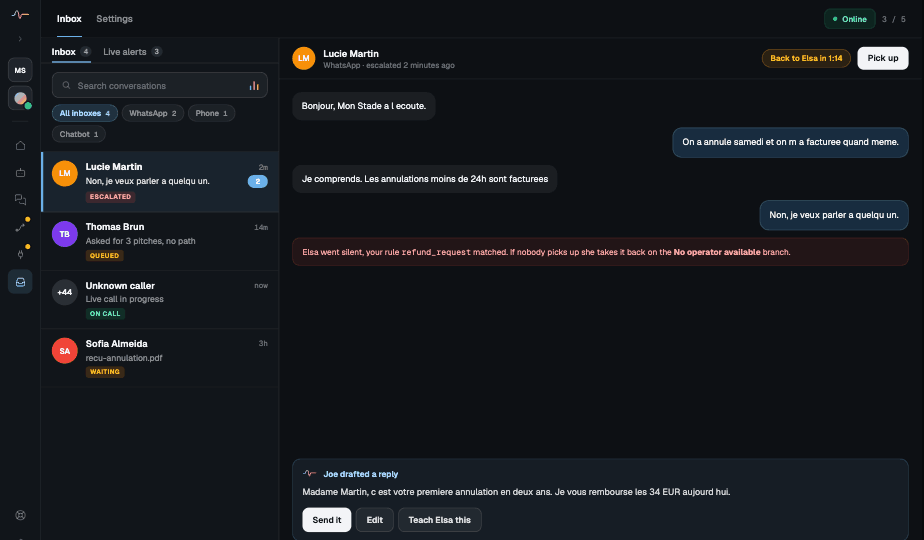
One conversation, whichever channel it came from, with Joe’s reply ready to send.
Three things, side by side
Every channel, one list
A call, a WhatsApp and an email sit side by side. No apps to jump between, nothing forgotten in a tab.
The whole story, already written
You see what the customer asked and what Joe said. Read it in ten seconds instead of asking anyone.
A reply waiting for your yes
Joe drafts the answer. Send it, change a word, or write your own. Teach him once and he handles it next time.
And if the reply needs something done (a booking moved, a refund started), Joe does it right there. No other app, nobody else to ask.
You get pulled in only when it matters
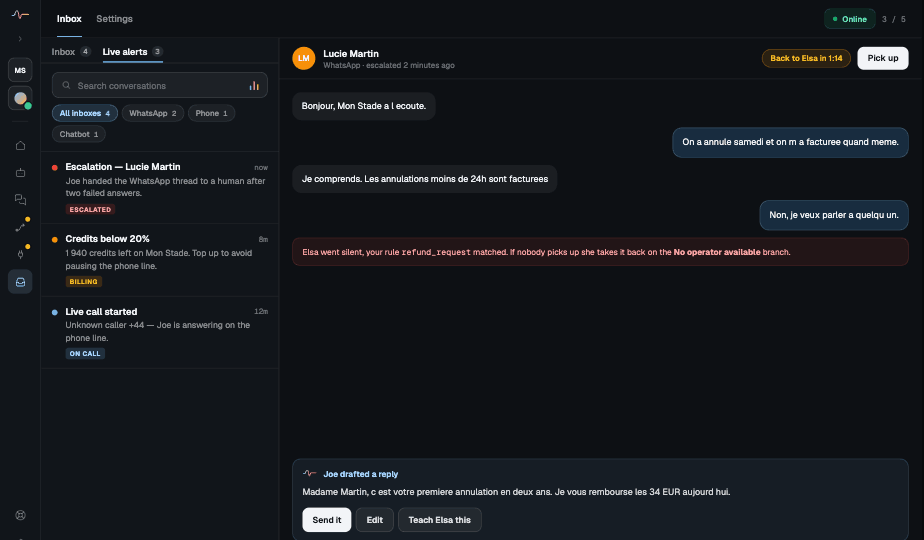
Joe raises his hand for the things you said he should never decide alone: an angry customer, a refund, a big order, a call nobody expected.
- The customer asked for a person twice.
- A refund above the amount you set.
- An order over your threshold.
- A caller nobody has spoken to before.
Nothing disappears
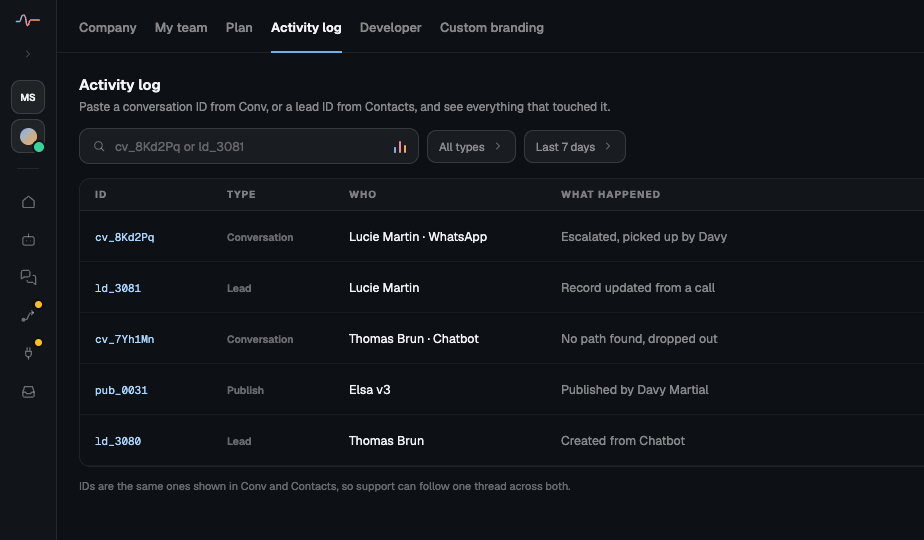
Every conversation, call and change is written down. Look up a customer by name and see everything that happened, who answered, and when.
- Search by customer, channel or day
- See who replied, Joe or your team
- Give your team their own access
Setting it up takes one afternoon coffee
Connect the channels
Tick the boxes for your phone line, WhatsApp, Instagram and inbox. Nothing to install.
Write the rules
Write it like a note to a new employee: “ask me before any refund over 50 euros”.
Let your operator take escalations
That’s the job. Everything else was already answered while you worked.
Inbox questions
Does the inbox replace our helpdesk?
It can, for conversation volume. It is a place to read and reply across every channel, with the full history and Joe’s draft attached. If you already run a helpdesk you keep it, and the inbox becomes where escalations land.
Can more than one person work the inbox?
Yes. Every team member gets their own access, and every reply is attributed. You can always see whether Joe or a colleague answered, and who.
What happens if I take over mid-conversation?
Joe stops replying on that thread and hands it to you with everything that has happened so far. When you are done you hand it back, and he picks up from where the conversation actually stands.
Do I have to watch it all day?
No, that is the point. Joe finishes the ordinary conversations himself. You open the inbox to deal with what he raised his hand about, which is what you told him to raise.
Is anything deleted?
Nothing disappears. Every conversation, call and change is written down and searchable for the retention period you set in the workspace.
Still have questions? Contact us →
One inbox. Nothing missed.
Hire Joe this afternoon and read your first handover tonight.
400 credits on us for 7 days to decide if he keeps the job.