How to set up automated GPT conversations (and where DIY stops)
You can set up automated GPT conversations in an afternoon. Keeping them safe in front of customers is the part that takes a system, and that is the gap.
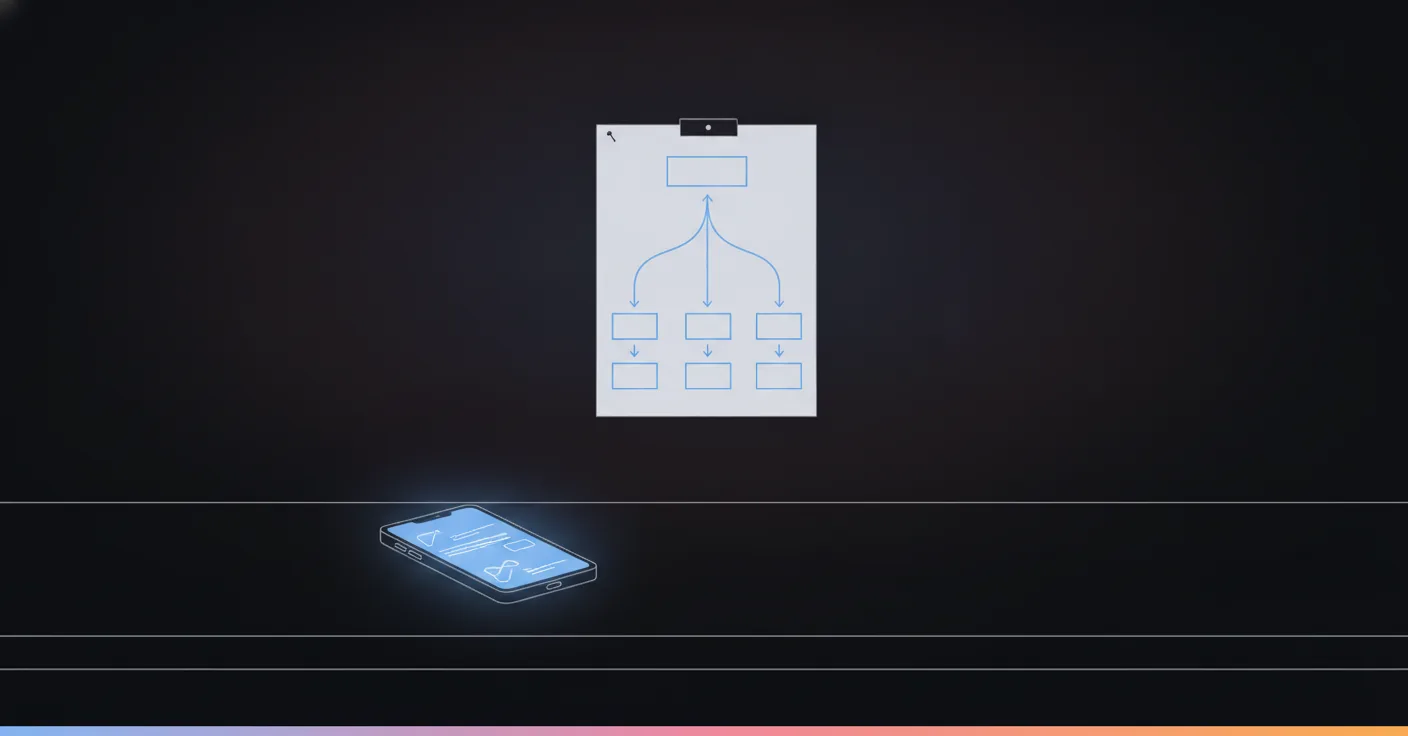
It’s 9:14pm and a customer asks your shop whether you’re open Sunday. You have the OpenAI API key, a free evening, and a strong feeling that this should answer itself. So you set up automated GPT conversations, and you are right: it can. The question is what happens on the 400th message, the one that asks for a refund you never offered.
This is a walkthrough of the DIY route, step by step, and then an honest look at where it holds and where it breaks, next to what Joe does with the same job.
Quick answer: To set up automated GPT conversations, connect your messaging channel to a tool that catches incoming messages, send each message plus your business rules to the OpenAI API, and post the reply back through the same channel. That works for simple questions in an afternoon. For customers, you also need a source of truth for answers, a handoff to a human, and a log.
What does “automated GPT conversations” actually mean?
Three different things hide behind the phrase, and mixing them up is how people buy the wrong tool.
1. ChatGPT working for you on a timer. A daily briefing at 8am, a weekly summary. Nobody writes to it. OpenAI documents this as scheduled tasks in ChatGPT, and Coursera’s guide to it notes a limit of 10 active tasks at a time. Useful, and not a conversation with a customer.
2. GPT connected to your apps. A message arrives somewhere, a tool passes it to the OpenAI API, and the answer goes out. Zapier and Make do this, and so do a dozen no-code builders. This is what most “chatgpt automation” tutorials mean, and it is what the rest of this post sets up.
3. A conversation platform that uses GPT inside it. The model is one part. The channels, the flow, the knowledge, the inbox and the handoff are the rest.
Our position, since you will find it out anyway: option 2 is a good way to learn and a risky way to face customers. Option 3 is what you graduate to. Between them sits one question, and it is not about the model.
How do you set up automated GPT conversations yourself?
Here is the DIY route in the order you will meet the problems. It matches the five steps in Vendasta’s guide to ChatGPT automation: pick a platform, connect OpenAI, choose the apps, build the trigger, test. We add what those guides skip.
Step 1: Pick the channel and a tool that can listen
Start with one channel. WhatsApp, Instagram DMs, a web form, an email inbox. ChatGPT itself has no inbox for your customers’ messages, so something has to receive each message and pass it on. That something is usually Zapier, Make, n8n or a small script.
Pick the channel your customers already use, not the one that is easiest to connect. If 90% of your questions arrive on WhatsApp, a clean web chat widget is a demo, not a deployment. We went through the channel side in how AI agents work on WhatsApp.
Step 2: Get an API key and make the first call
Create an OpenAI account, generate an API key, paste it into your tool. The trigger is “new message”, the action is “send to the model”, and the second action is “reply on the same channel”. Your first working version is about three boxes on a screen.
This is the moment everyone feels like a genius. Do not stop here.
Step 3: Write the system prompt
The system prompt is the standing instruction the model gets with every message. A decent first one says who the business is, how to speak, what to answer, and what to do when unsure. Write it like a note to a new hire on day one:
- Opening hours, address, the five prices people ask about
- The tone: short, polite, no promises about money
- “If you are not certain, say you will check and a person will reply”
Save the prompt as a template so you can change it in one place. Vendasta makes the same point about reusable prompts, and it is correct.
Step 4: Give it something true to answer from
A model with no facts will produce plausible ones. So paste the facts in: hours, prices, policies. For a small list this works. Past a few pages, you need retrieval, meaning the system looks up the relevant paragraph for each question and hands only that to the model.
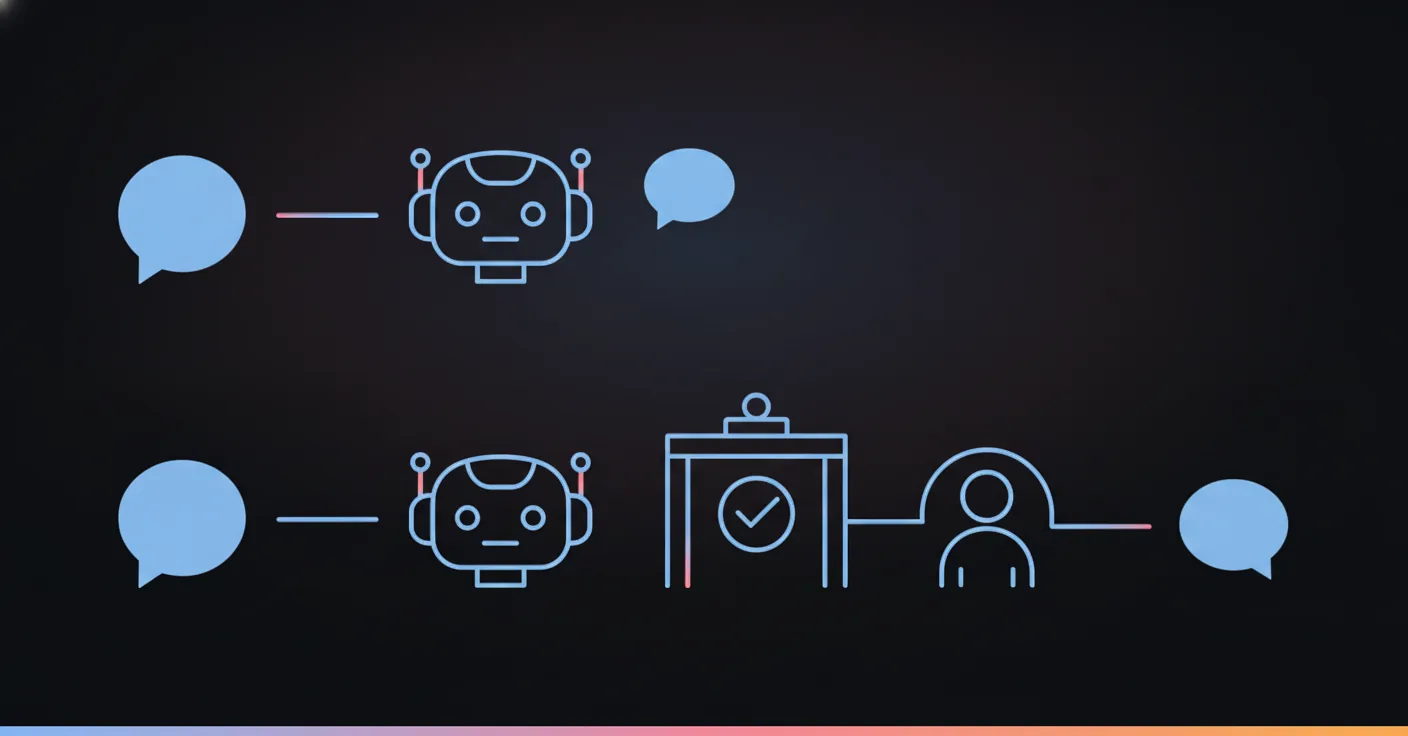
The top row is what steps 1 to 3 build: message in, model, reply out. The bottom row is what step 4 and everything after it add: a checkpoint before the reply, and a way out to a person. That second row is the actual job.
Step 5: Test it with real messages, not nice ones
Do not test with “What are your hours?”. Test with the messages that will actually arrive: “can u do tmrw 5pm”, a voice note transcribed badly, an angry message at 11pm, a question in Spanish when your prompt is in English, a customer who asks about something you do not sell.
Keep a spreadsheet of fifty real messages and run them every time you change the prompt. Changing a prompt to fix one answer quietly breaks another, and this is how you notice.
Where does a DIY GPT setup break?
Not at the start. Nearly every setup works for the first week. It breaks in specific, repeatable places, and each one has a cost you can feel.
It invents. The model has no idea what it does not know. A refund policy, a discount, a medical claim: if the answer is not in front of it for that message, it writes one that sounds right. A chatbot that invents a refund policy is not a support tool. It is a liability with a chat bubble. One Reddit thread on this exact question puts the options bluntly: check every generated message by hand or accept the risk.
It has no memory of the conversation unless you build it. Message two does not know message one. Every tool you wire up needs somewhere to store the thread, and the more steps in a booking, the more that matters.
It cannot do anything. Answering “are you open Sunday?” is easy. Booking the slot, checking it is free, and confirming it needs tools, and tools need rules about when the model may use them.
It does not know when to stop. The customer is upset, or the question is medical, or it is the third time they have asked. A prompt that says “hand over if the customer is upset” is a request, not a guarantee.
Nobody sees the conversation. If a human has to step in, where do they do it? In a DIY chain the answer is usually “the inbox of whoever built it”, and that person is on holiday.
Channels have their own rules. WhatsApp and Instagram limit when and how a business may message first. Your Zap does not know that until a message fails.
| Problem | DIY chain (tool + API) | Platform with a defined flow |
|---|---|---|
| Wrong or invented answers | Fixed by editing a longer prompt | Each step only gets the facts and tools it is allowed |
| Memory across messages | You build and store it | Held per conversation |
| Booking, checking, acting | One more box per action, each a risk | Actions available only at the step that needs them |
| Handing over to a person | A line in the prompt | A step in the flow, with rules per business |
| Seeing what happened | Logs in three tools | One inbox |
| Setup time to a safe first version | Weeks of testing | Starts from pre-built parts |
How does Joe handle the same job differently?
Joe starts from the opposite assumption. A free-running model that is trusted to behave is the thing that breaks. So conversations run on a flow: a goal for each kind of customer intent, and tools that are available only at the steps where they make sense. The model works inside those limits. It does not decide them.

Take the 9:14pm question about Sunday. In the DIY chain, the model reads your prompt and answers. In a flow, the “opening hours” step reads the hours from the business’s own data and the model phrases the answer around them. If the same customer then asks for a discount, the flow has no step that lets the model grant one, so it routes to a person. The model is no less capable. It simply has no way to be creative about your prices.
A concrete case: a French sport-santé center wanted Joe to answer member questions from a knowledge base. The first version answered a medical question it should have escalated. We did not write a stricter prompt. We rebuilt the flow so anything touching health routes to a human, every time. That rule now holds on message one and message ten thousand, which a sentence in a prompt cannot promise.
Some other differences you will notice if you compare the two routes honestly:
- Channels are already connected. Phone, WhatsApp, email, Instagram, Messenger, SMS and other social channels, with the platform rules handled for you.
- A unified inbox with human escalation. You see every conversation, and you can step into any thread. Escalation rules are set per business.
- Pre-built parts. About 80% of an agent is pre-built nodes and actions, and the remaining 20% is assembling your conversation logic. The goal is that a non-technical person deploys an agent in under 15 minutes. It is a goal, and your own flows will take longer than a hello-world.
- Hosted in Europe, GDPR compliant, aligned with the EU AI Act. Large accounts can bring their own LLM key, so you keep control of the model.
- Pricing by usage. Plans start from €59 a month. See the pricing page for the current figures.
We covered how the flow idea applies to scripts in chatbot script: how to actually write one, and the tool landscape in best customer support automation tools in 2026.
When is the DIY route the right call?
Honestly, in more cases than a vendor usually admits.
If you are the only user, DIY wins. Scheduled tasks, a Zap that summarizes your inbox, a prompt that drafts replies you read before sending. Nobody outside the company sees a wrong answer, so nobody gets hurt by one.
If customers see the output but a person reviews each message, DIY is fine too. You have built a drafting assistant, and that is a good thing to have.
DIY stops being the right call at one specific line: the moment the reply goes to a customer with nobody checking it first. Before that line, a wrong answer costs you a few seconds of editing. After it, a wrong answer costs a customer. Our rule of thumb is simple. Judge the setup the way you would judge a new hire on their first week: would you let them answer the shop’s WhatsApp alone tonight?
Customers have also moved the line for you. They expect a reply in minutes, and a fast wrong answer is worse than a slow right one. Speed matters. Being right matters more.
What should you do this week?
Do the cheap experiment first. Build the three-box version on one channel, run it against fifty real messages from your own history, and count how many answers you would be comfortable sending unsupervised. If you cannot count them, because you do not have fifty real messages, that is the real finding.
Then you know which route you are on. If the count is high and a person reviews the rest, keep the DIY chain. If you want it to talk to customers on its own, move to a system where the limits live in the flow, not the prompt. You can see a live agent on the demo page before connecting anything.
FAQ
Can ChatGPT be automated?
Yes, in three ways. ChatGPT's own scheduled tasks run prompts for you on a timer, an integration tool like Zapier or Make connects the OpenAI API to your apps, or you use a platform built for customer conversations. Only the second and third can answer a customer who writes to you, because scheduled tasks start from you, not from them.
How do I set up automated GPT conversations with customers?
Pick the channel, connect it to a tool that receives incoming messages, send each message and your business rules to the OpenAI API with an API key, and send the reply back through the same channel. Then add the parts nobody mentions: a knowledge source, a handoff to a human, and a log you actually read.
Can I use a custom GPT to answer customer messages?
A custom GPT lives inside ChatGPT, so your customers would have to open ChatGPT to use it. To answer people on WhatsApp, Instagram, email or the phone, you call the model through the API from a system that is connected to those channels.
Do I need to code to automate ChatGPT?
Not for a first version. No-code tools can wire an incoming message to the API and the reply back out. Code or a flow builder starts to matter when the conversation needs memory, branches, a booking, or a rule that must never be broken.
Why does an automated GPT reply sometimes invent things?
A language model writes the most plausible next sentence, not the checked one. If your opening hours or refund rules are not in front of it for that exact message, it will fill the gap. The fix is to control what it is allowed to say at each step, not to write a longer prompt.
How long does it take to set up automated GPT conversations?
A basic auto-reply takes an afternoon. A version you would let talk to customers unsupervised takes weeks of testing against real messages. Our own goal with Joe is that a non-technical person deploys an agent in under 15 minutes, but that is a goal, and it starts from pre-built parts rather than a blank page.