Best Shared Inbox Software: Top 8 Platforms Compared
Looking for the best shared inbox software? We compare 8 platforms on channels, AI, pricing and collaboration, and explain why We Love Joe leads in 2026.
Your customers don’t pick one channel. They email on Monday, DM you on Instagram Tuesday (or comment on a reel first, which you can auto reply to with a DM), send a WhatsApp on Saturday night, and call when it’s urgent. Your team can’t live in five tabs hoping nobody slips through. That’s the job of shared inbox software: one place where every conversation lands, everyone can see who’s handling what, and nothing falls through the cracks.
But “shared inbox” and “unified inbox” mean different things to different vendors. Some are email-collaboration tools with a few channels bolted on. Some are enterprise help desks priced per seat that scale into the thousands. And a new category answers first with AI, then hands the hard ones to a human. This guide compares the eight best shared inbox platforms in 2026, starting with the one we believe leads the pack, and gives you a side-by-side table so you can pick the right fit fast.
Quick answer: the best shared inbox software in 2026 is We Love Joe for AI-first teams that want unlimited seats, Help Scout or Hiver if you want a human team with AI as an add-on, and Front, Trengo, Intercom, or Zendesk for larger teams already committed to per-seat pricing.
What makes shared inbox software actually good?
Before the table, here’s the short checklist worth holding every tool against:
- True omnichannel from day one - email, WhatsApp, Instagram, Messenger, SMS, web chat, and phone in one view, not gated behind the top tier.
- AI that resolves, not just suggests - a shared inbox should answer the easy questions automatically and only escalate what needs a human.
- Clean human handoff - the ability to take over from AI in one click, see who’s online, and avoid two agents replying to the same person.
- Predictable pricing - flat or usage-based costs you can forecast, not per-seat fees that balloon as your team grows.
- Works everywhere - web, desktop, and mobile, because escalations don’t wait for office hours.
Most tools nail two or three of these. The differences are in the gaps.
1. We Love Joe - Best overall shared inbox
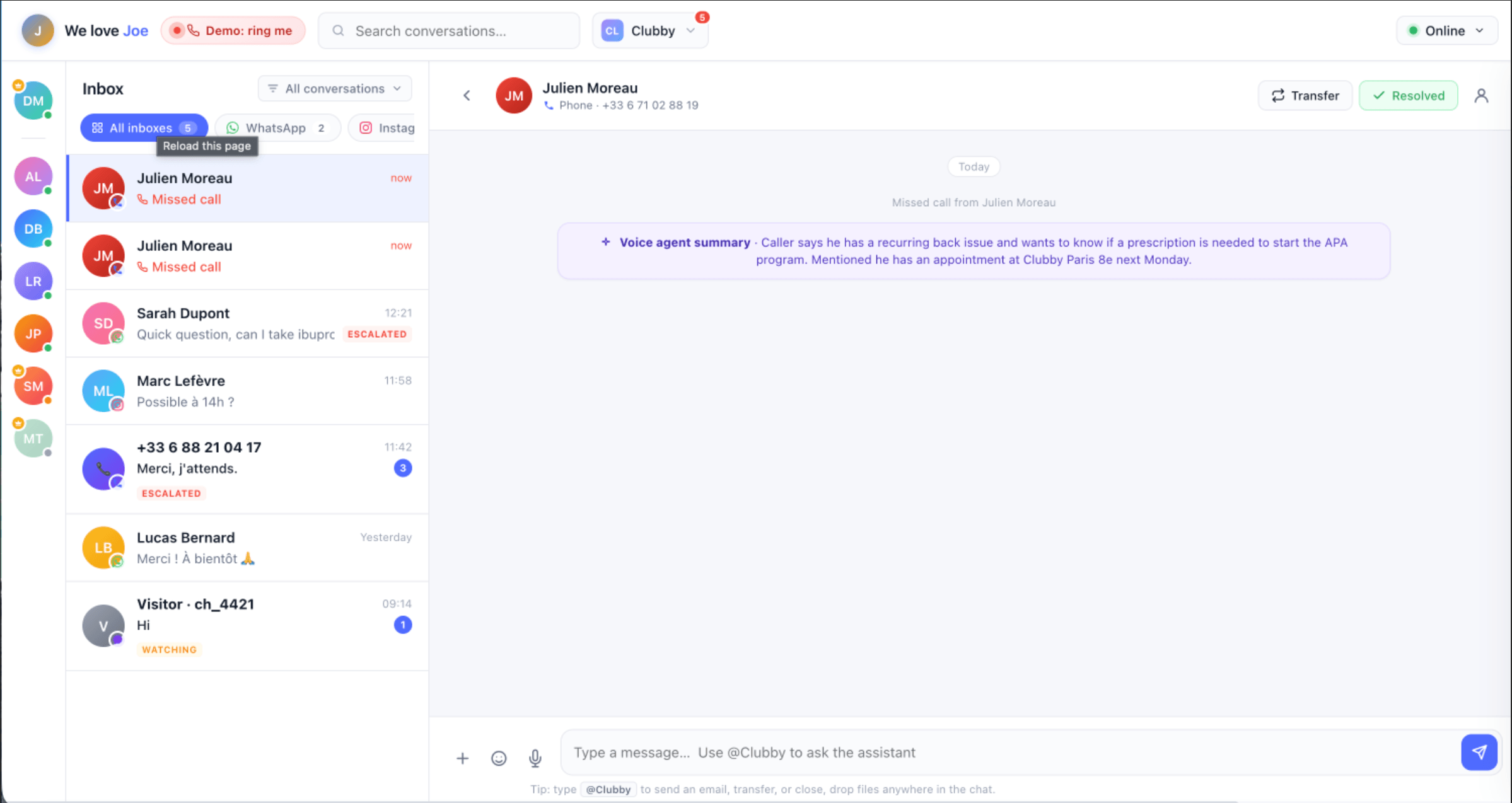
We Love Joe is built around a simple idea the other platforms retrofit: Joe (the AI) replies first, your team takes over the moments that matter. Instead of dumping every message into a shared inbox for humans to triage, Joe reads your website, FAQs, and services, then handles the easy conversations across WhatsApp, Instagram, Messenger, X, email, web chat, and phone. The moment a customer needs a human, Joe flags it, your team sees it instantly with full context in the unified inbox, and an operator takes over in one click. Joe steps back; you drive.
That escalation-first model is what sets it apart. You’re not paying a person to read messages a bot could have answered, and you’re not letting a bot fumble the conversations that need judgment.
Why it leads in 2026:
- Every channel in one inbox - WhatsApp, Instagram, Messenger, X, email, web chat, and phone, including live phone calls answered on your laptop.
- AI answers first, humans handle the rest - Joe resolves routine questions 24/7 and escalates or transfers only what needs a person, with live-watch so you can monitor a conversation before stepping in.
- Unlimited operator seats - no per-seat fees. The Unified Inbox is included from the Growth plan, and you add as many operators as you want. You pay for usage (messages, SMS, calls), not headcount.
- Truly everywhere - web app, native macOS and Windows apps, and native iOS and Android apps, with notifications, voice messages, and live calls on all of them.
- No training period - drop in your links and Joe shows up ready, with a 7-day free trial and 200 credits to decide if he keeps the job.
- GDPR compliant and trained on your own resources, with 20+ languages supported.
Pricing: Starter €59/mo, Growth from €149/mo (Unified Inbox + unlimited operators), Custom for larger teams. Usage-based credits (1 message = 1 credit, 1 SMS = 3, 1 min call = 10) that roll over.
Best for: Small and mid-sized businesses, franchises, and service teams that want AI to carry the load and only loop in humans when it counts, without per-seat pricing punishing them for adding staff.
2. Front - Best for CRM-embedded email teams
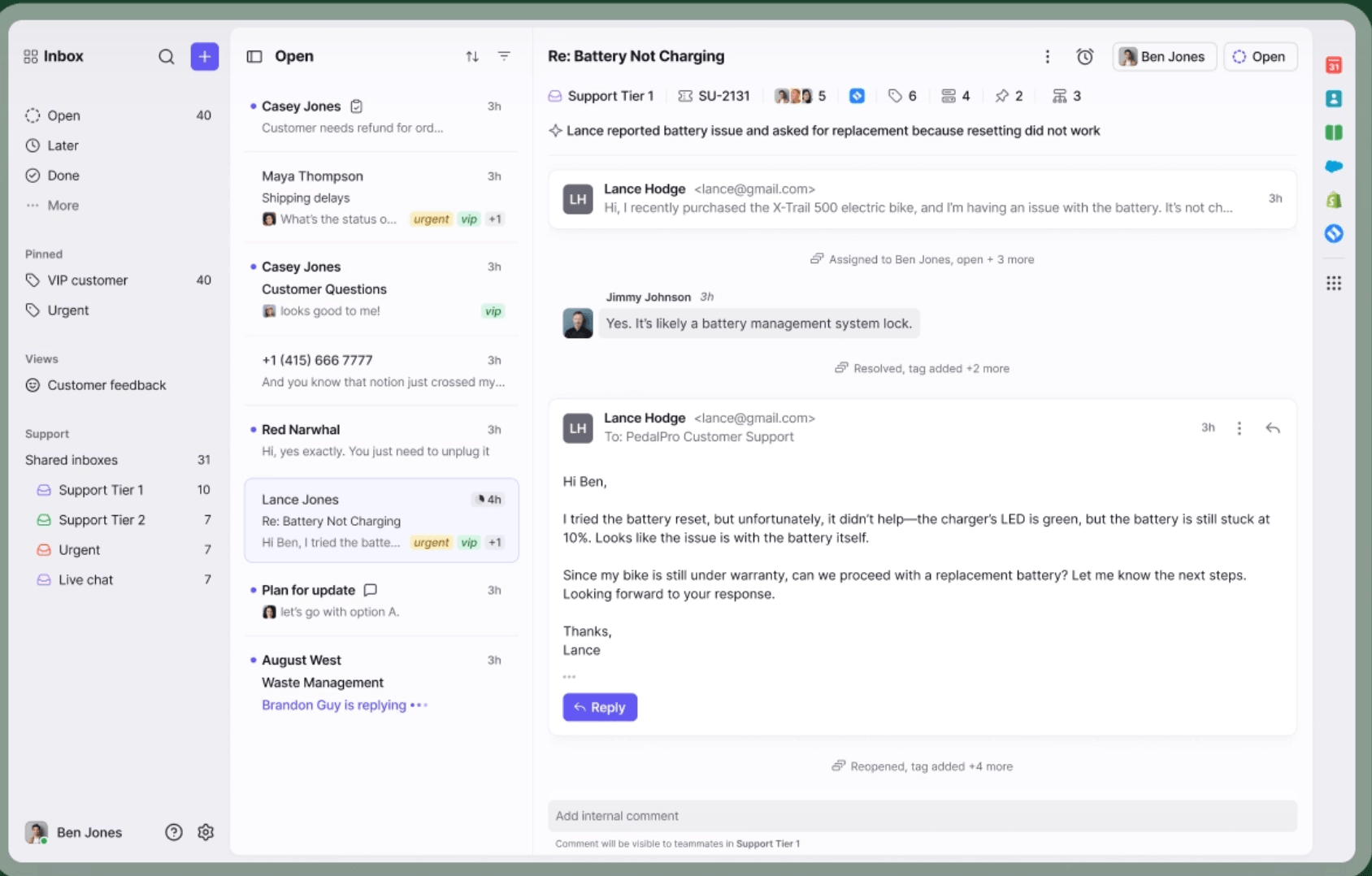
Front is a polished, email-first shared inbox that brings email, SMS, chat, and social into one collaborative workspace, with strong @mentions, internal comments, and assignment workflows. Its standout is depth of CRM integration, Salesforce, HubSpot, and Pipedrive records appear right alongside conversations, which matters for high-stakes B2B email.
The trade-offs are cost and gating. Pricing runs $25/seat/mo (Starter, single channel, 10-seat cap), $65/seat/mo (Professional, omnichannel), and $105/seat/mo (Enterprise), all billed annually. Most AI features (Copilot, Smart QA, Smart CSAT) are paid add-ons of roughly $10-$20/seat on the lower tiers, and AI Autopilot is billed at about $0.89 per resolution. WhatsApp is Professional-and-up only and carries Meta’s fees plus a 20% markup. For a 10-agent team, the bill climbs toward $650-$1,050/month once AI is added.
Best for: Email-heavy support and account teams already living in a CRM, with budget for per-seat pricing.
3. Trengo - Best for WhatsApp-first European teams
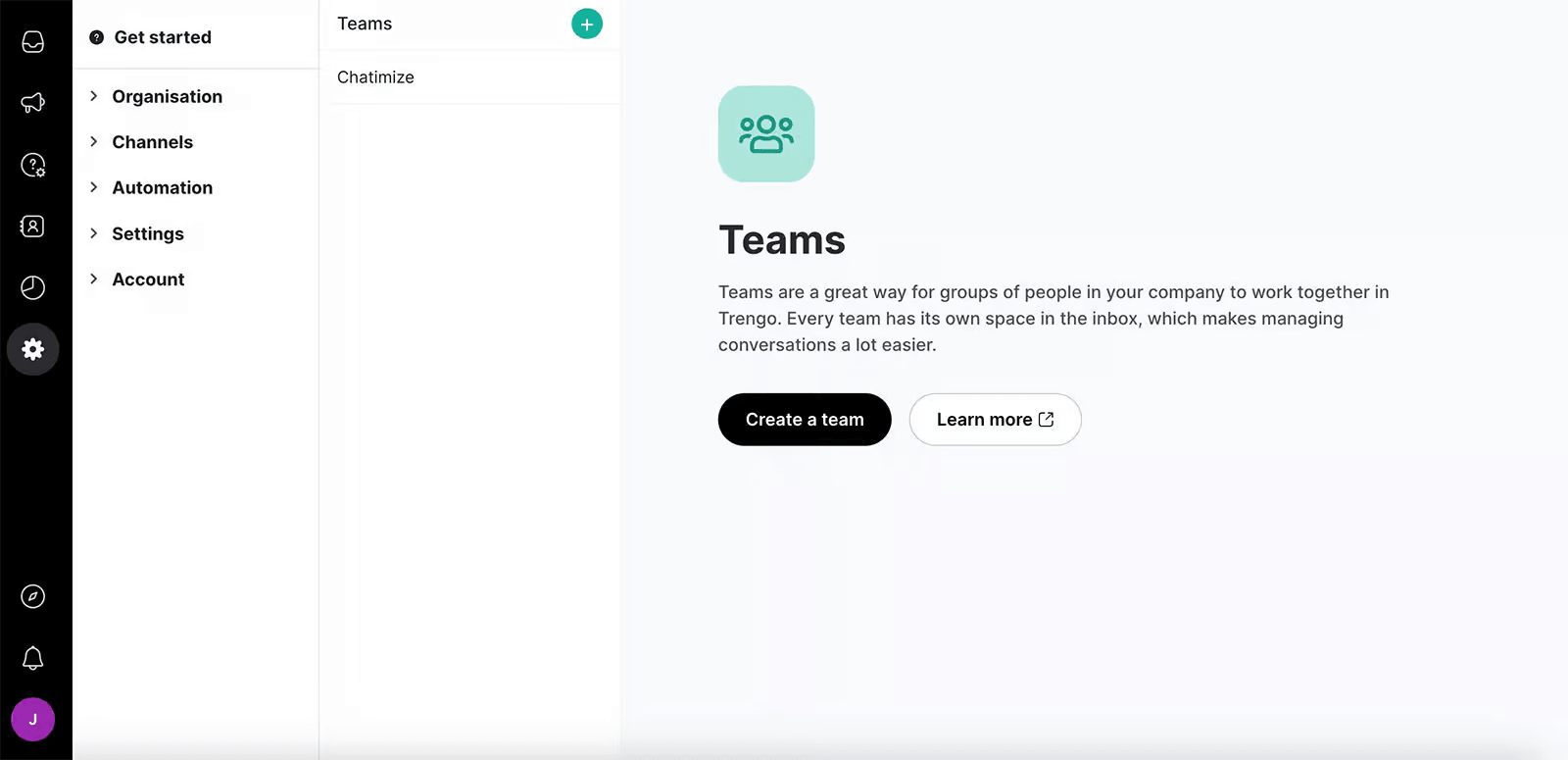
Trengo is a Netherlands-based omnichannel inbox with genuinely strong WhatsApp Business API support (it’s an official Meta partner) plus email, Instagram, Messenger, SMS, voice, and more. The UI is fast and intuitive, and it passes Meta’s WhatsApp conversation fees through 1:1 with no markup, a real plus for high-volume messaging.
The catch is the pricing model. Trengo moved to conversation-based billing, with Boost starting around €299/mo (annual) for 10 seats and Pro around €499/mo, plus overage charges when a conversation continues past its 7-day window. Voice and some AI features are add-ons, and you pay for the full seat pack even if you only use a few. Costs can be hard to forecast for teams with spiky volume.
Best for: European SMBs in retail, travel, or hospitality where WhatsApp is the primary channel and GDPR matters.
4. Intercom - Best for enterprise SaaS support
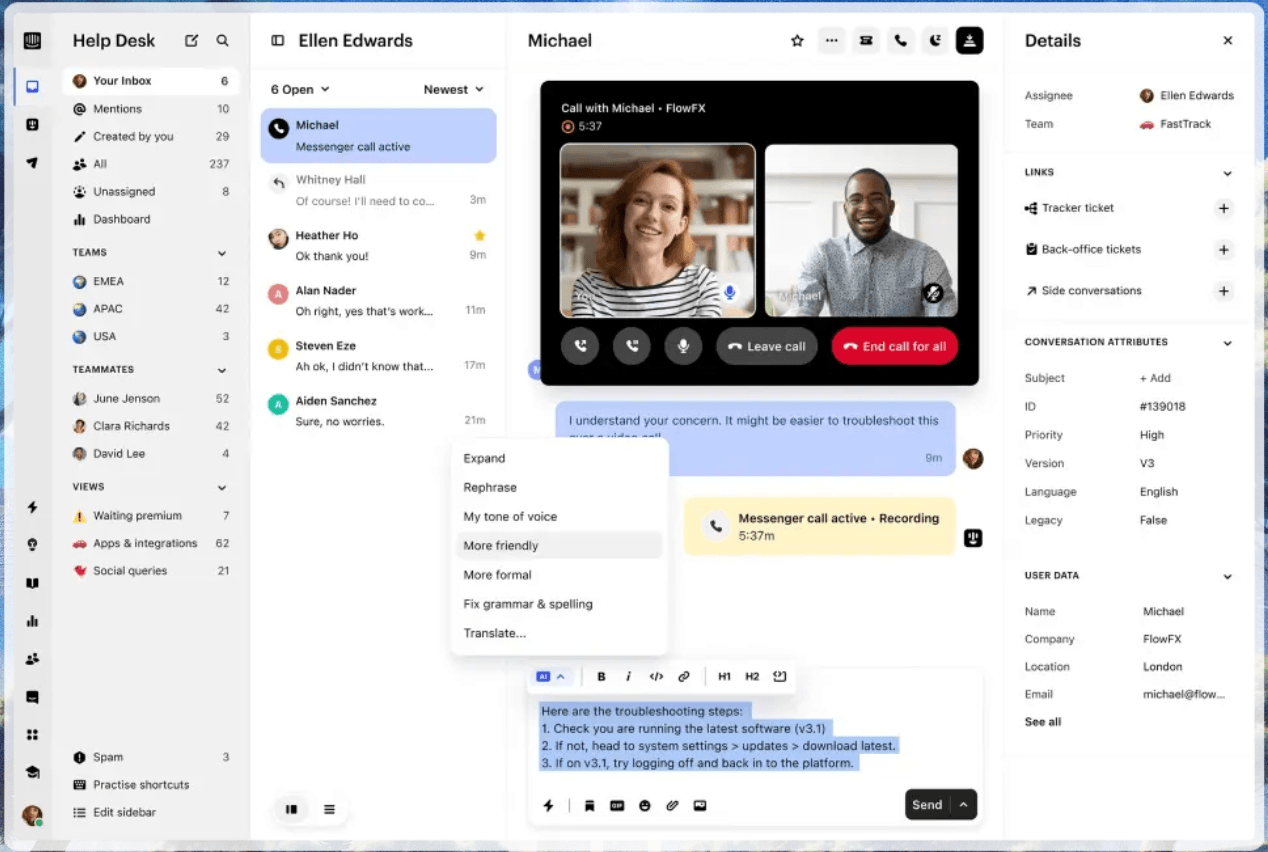
Intercom is the most mature platform here, known for its modern messenger widget and the Fin AI agent, which resolves complex queries by drawing on product data, subscription status, and in-app behavior in real time. If you need HIPAA compliance, multibrand support, and deep product context, Intercom delivers.
It’s also the most expensive to run at scale. Seats start at $29/seat/mo (Essential, annual) and rise to $85 (Advanced) and $132 (Expert), and Fin AI resolutions cost $0.99 each with no monthly cap. Add per-message fees for SMS, WhatsApp, and email campaigns, and mid-market bills routinely land in the $1,000-$5,000/month range. The early-stage discount program softens year one, but costs creep up fast. It also ranks on our ManyChat alternatives list, for teams that outgrew a bot builder and need AI-first chat with real product context.
Best for: Funded, product-led SaaS companies (50-500 employees) where support needs live product data and budget is secondary to capability.
5. Help Scout - Best for lean teams that want simplicity
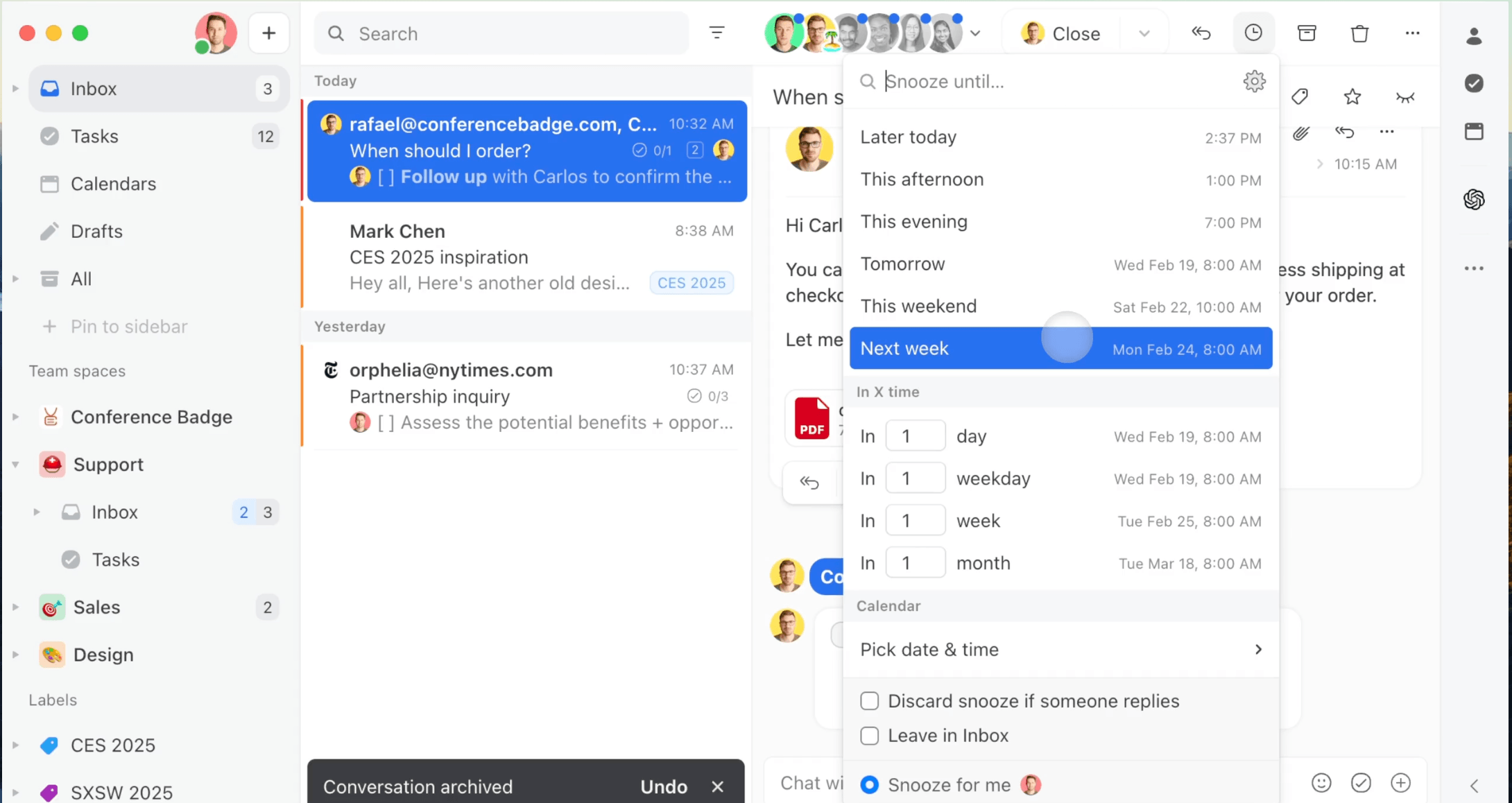
Help Scout skips the ticket-queue feel most help desks have. Conversations read like email, with internal notes, collision detection, and saved replies doing the collaboration work, and every paid plan already includes SMS, Messenger, Instagram, and WhatsApp alongside email and live chat. Phone stays an integration rather than a native channel, so a team that lives on the phone will feel that gap.
Pricing is straightforward: a free plan for up to 5 users, then $25/user/mo (Standard, up to 25 users), $45/user/mo (Plus), and $75/user/mo (Pro, unlimited users). AI Drafts and AI Assist ship free on paid plans; AI Answers, a customer-facing bot, is a $0.75-per-resolution add-on with a 3-month free trial. That is the cleanest AI pricing on this list, no seat tax on top of it, just pay for what the bot actually resolves.
Best for: Small support and success teams who want the collaboration of a shared inbox without learning a help-desk system, and are fine treating phone as a bolt-on.
6. Hiver - Best for Gmail-native teams
Hiver turns Gmail (or Outlook) into the shared inbox, so there’s no new tab to teach a team that already lives in its email client. Under the “Hiver Omni” plan it now folds in live chat, Slack, voice, WhatsApp, and social, a wider spread than its Gmail-plugin reputation suggests, and every plan includes an AI agent that can resolve requests end to end plus an AI copilot for drafting replies.
Pricing runs $25/user/mo (Growth), $55/user/mo (Pro, the most popular tier), and $85/user/mo (Elite, which adds AI quality scoring and AI-generated insights). Voice is a separate add-on at $30 per voice seat/month with 1,000 minutes included, so a phone-heavy team should budget for that on top of the base seat.
Best for: Teams that don’t want to leave Gmail or Outlook and are willing to pay extra for voice as a bolt-on.
7. Zendesk - Best for enterprise ticketing at scale
Zendesk is the help desk most support leaders have used somewhere in their career, and for good reason: it handles enormous ticket volume, has the deepest reporting on this list, and its AI agents bill on a “pay only for resolutions” model rather than a flat per-conversation fee. Suite Team ($55/agent/mo, annual) already bundles messaging, live chat, and telephony with email.
The catch is that Zendesk’s real cost lives in the add-ons. Suite Professional ($115/agent/mo) is where admin Copilot and writing tools show up, Copilot itself is a further $50/agent/mo add-on below that tier, and Enterprise pricing (with intelligent triage and generative voice AI) is quote-only. A 10-agent team on Suite Professional alone starts near $1,150/month before any AI add-on.
Best for: Larger support orgs that need ticket-level SLAs, workflow automation, and reporting depth, and have the budget to match.
8. Missive - Best budget collaborative inbox
Missive is the value pick: a clean, collaborative inbox bringing email, live chat, SMS, WhatsApp, social DMs, and calls into one workspace, with excellent real-time features like collaborative drafting, internal chat on threads, and shared labels. It treats customer comms as part of your team’s overall communication rather than a separate help desk.
Pricing is friendly, free for up to 3 users, then $14 (Starter), $24 (Productive), and $36 (Business) per user/month billed annually, with a 20% annual discount. For AI, Missive connects to your own OpenAI, Anthropic, or Gemini key, so you pay pennies of usage rather than fixed per-resolution fees (note: AI rules require the Productive plan or above). The trade-off: it’s lighter on built-in AI automation and has no native bot, so it’s more of a “humans collaborate beautifully” tool than an “AI answers first” one.
Best for: Very small teams and startups that want strong collaboration across channels on a tight budget.
Top 8 shared inbox software comparison table
| Platform | Best for | AI model | Channels | Pricing model | Starting price |
|---|---|---|---|---|---|
| We Love Joe | All-round: AI-first with human handoff | AI answers first, escalates to humans | WhatsApp, Instagram, Messenger, X, email, web chat, phone | Usage-based credits, unlimited operators | €59/mo (Inbox from €149/mo) |
| Front | CRM-embedded email teams | AI add-ons (Copilot, Autopilot) | Email, SMS, chat, social, WhatsApp* | Per seat (annual) + AI add-ons | $25/seat/mo |
| Trengo | WhatsApp-first European SMBs | AI agents, Flowbot | Email, WhatsApp, Instagram, Messenger, SMS, voice | Conversation-based + seat packs | ~€299/mo (10 seats) |
| Intercom | Enterprise SaaS support | Fin AI ($0.99/resolution) | Chat, email, SMS, WhatsApp, phone | Per seat + per-resolution + channel fees | $29/seat/mo |
| Help Scout | Lean teams wanting simplicity | AI Drafts free, AI Answers $0.75/resolution | Email, chat, SMS, Messenger, Instagram, WhatsApp | Per seat (free tier) | $0 / $25/user/mo |
| Hiver | Gmail/Outlook-native teams | AI agent + copilot, all plans | Email, chat, Slack, WhatsApp, social, voice (add-on) | Per seat + voice add-on | $25/user/mo |
| Zendesk | Enterprise ticketing at scale | AI agents, pay-per-resolution | Email, messaging, chat, telephony | Per agent + AI add-ons | $19-55/agent/mo |
| Missive | Budget collaborative inbox | Bring-your-own AI key | Email, chat, SMS, WhatsApp, social, calls | Per seat (free tier) | $0 / $14/user/mo |
*WhatsApp on Front requires the Professional plan or higher. Prices reflect publicly listed rates in 2026 and may change; see G2’s shared inbox category for current buyer reviews on each.
How to choose the right shared inbox software
- You want AI to do the heavy lifting and only escalate real issues → We Love Joe. The answer-first, escalate-second model plus unlimited seats is the cleanest fit for teams that don’t want to pay people to do what a bot can.
- You’re a B2B team glued to Salesforce or HubSpot → Front, if you can absorb per-seat and add-on costs.
- WhatsApp is 80% of your volume and you’re in Europe → Trengo.
- You’re a funded SaaS that needs product-aware AI support → Intercom.
- You want the collaboration of a shared inbox without a help-desk learning curve → Help Scout.
- Your team already lives in Gmail or Outlook and won’t switch → Hiver.
- You need ticket SLAs and reporting at real scale → Zendesk.
- You’re tiny and budget-conscious → Missive’s free tier.
If your team is deciding between a shared inbox and a full WhatsApp automation or phone answering service instead, that’s usually a sign you want AI answering by default rather than a better queue for humans, which is the case for We Love Joe over the pure collaboration tools above. For the wider category, including helpdesks and ticketing tools that aren’t primarily inboxes, see our best customer support automation tools roundup.
The bottom line
Every platform here can unify your channels. The real question for 2026 is who answers first. Front, Trengo, Intercom, Hiver, and Zendesk largely start from a human inbox and add AI on top, often at a per-seat or per-resolution premium. Help Scout gets closest to us on AI pricing but still charges per seat first. We Love Joe flips it: Joe answers the routine questions across every channel automatically, and your team only sees what genuinely needs a person, with unlimited operators and no per-seat penalty for growing. For most small and mid-sized businesses, including franchise networks running the same playbook across many locations, that’s the difference between a tool that organizes your work and one that removes most of it.
FAQ
What is shared inbox software?
Shared inbox software brings every customer conversation, email, WhatsApp, Instagram, Messenger, SMS, web chat and phone, into one view your whole team can see, reply from and hand off, instead of five separate logins and a group text asking 'did anyone answer this?'
What's the best shared inbox software in 2026?
For most small and mid-sized businesses, We Love Joe is the best overall because its AI answers first and escalates only what needs a human, with unlimited operator seats and usage-based pricing. Help Scout and Hiver are strong picks if you want a human team from day one with AI as an add-on; Front, Trengo, Intercom, Zendesk and Missive fit specific team sizes and budgets covered below.
Which shared inbox is most affordable?
Missive has a free tier for up to 3 users and is the cheapest entry point. Help Scout's free plan covers up to 5 users but drops phone support. For AI-first automation without per-seat fees, We Love Joe's unlimited-operator model is the most cost-predictable as your team grows.
Does a shared inbox replace my CRM?
No. A shared inbox is the conversation layer where your team replies and collaborates. It complements your CRM rather than replacing it, your contact history and records stay where they are.
What's the difference between a shared inbox and a help desk?
A shared inbox is built around a message thread everyone can see and reply to. A help desk turns each message into a ticket with a status, an SLA clock and a queue. Zendesk and Freshdesk-style tools lean help desk; Missive and Front lean shared inbox. Most vendors on this list, including us, blend both.
Do I need a shared inbox if my team already uses Gmail or Outlook?
You need one the moment two people reply to the same customer without knowing it, or a message sits unread because everyone assumed someone else saw it. A shared inbox adds assignment, internal notes and one shared history on top of the inboxes you already have.
How much does shared inbox software cost?
Per-seat tools range from about $19 to $132 per agent per month before AI add-ons, so a 10-person team can land anywhere from roughly $200 to over $1,300 a month. Usage-based tools like We Love Joe charge for messages and calls instead of seats, which keeps the bill flat as you add operators.